Standard Operating Procedures
This SOP documents the complete halal certification lifecycle on the HALO portal. Every step shows the actual screen a user sees. The platform is bilingual (English / Portuguese) throughout; screenshots here use the English interface.
Company / Applicant
How a business applies for, tracks, pays for, and receives a HALO halal certificate — and publishes a verifiable product page.
Open the HALO Timor-Leste website
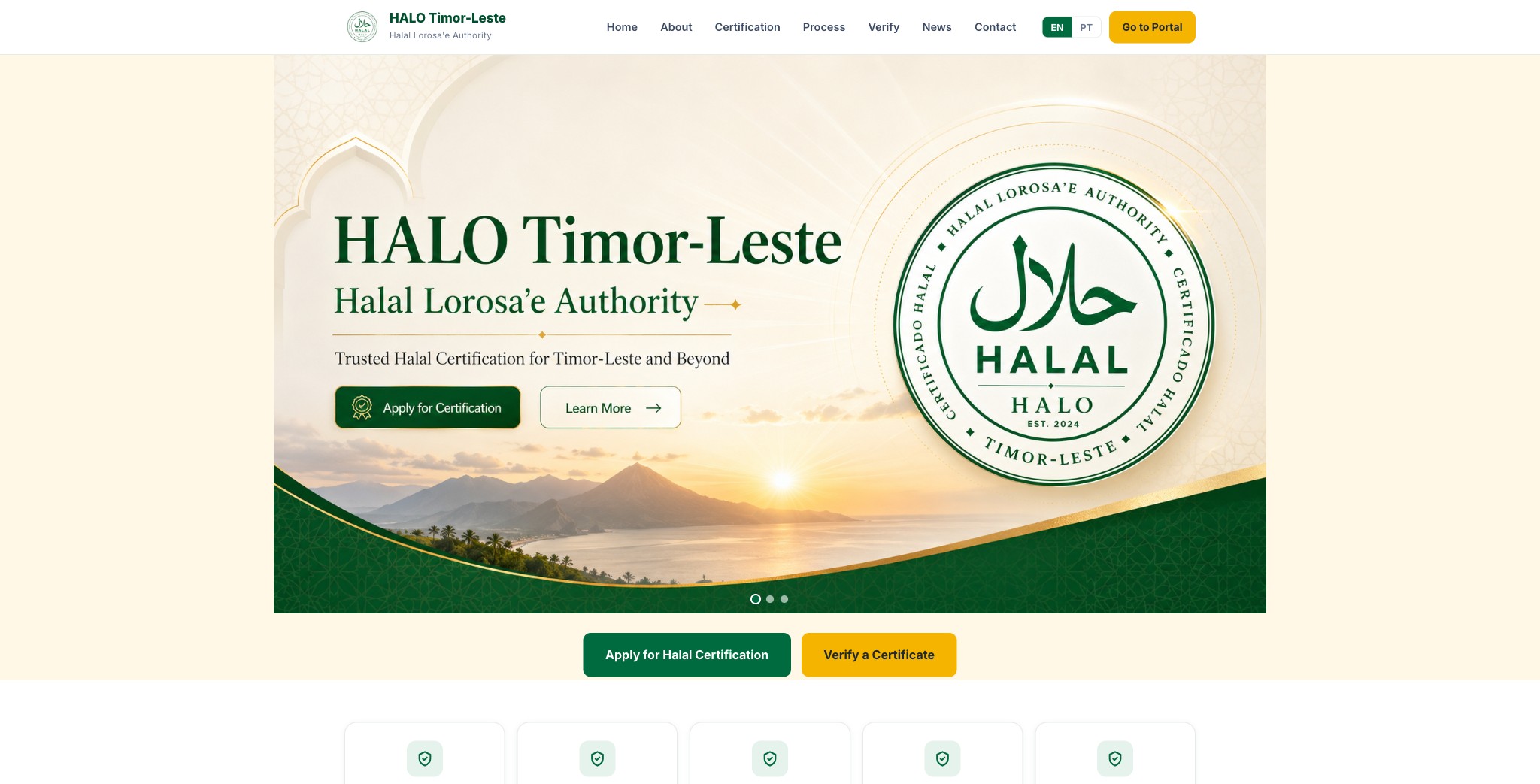
Go to halal-lorosae.weststar-dev.com. The site is fully bilingual — use the EN / PT switch in the top bar at any time.
Start your application
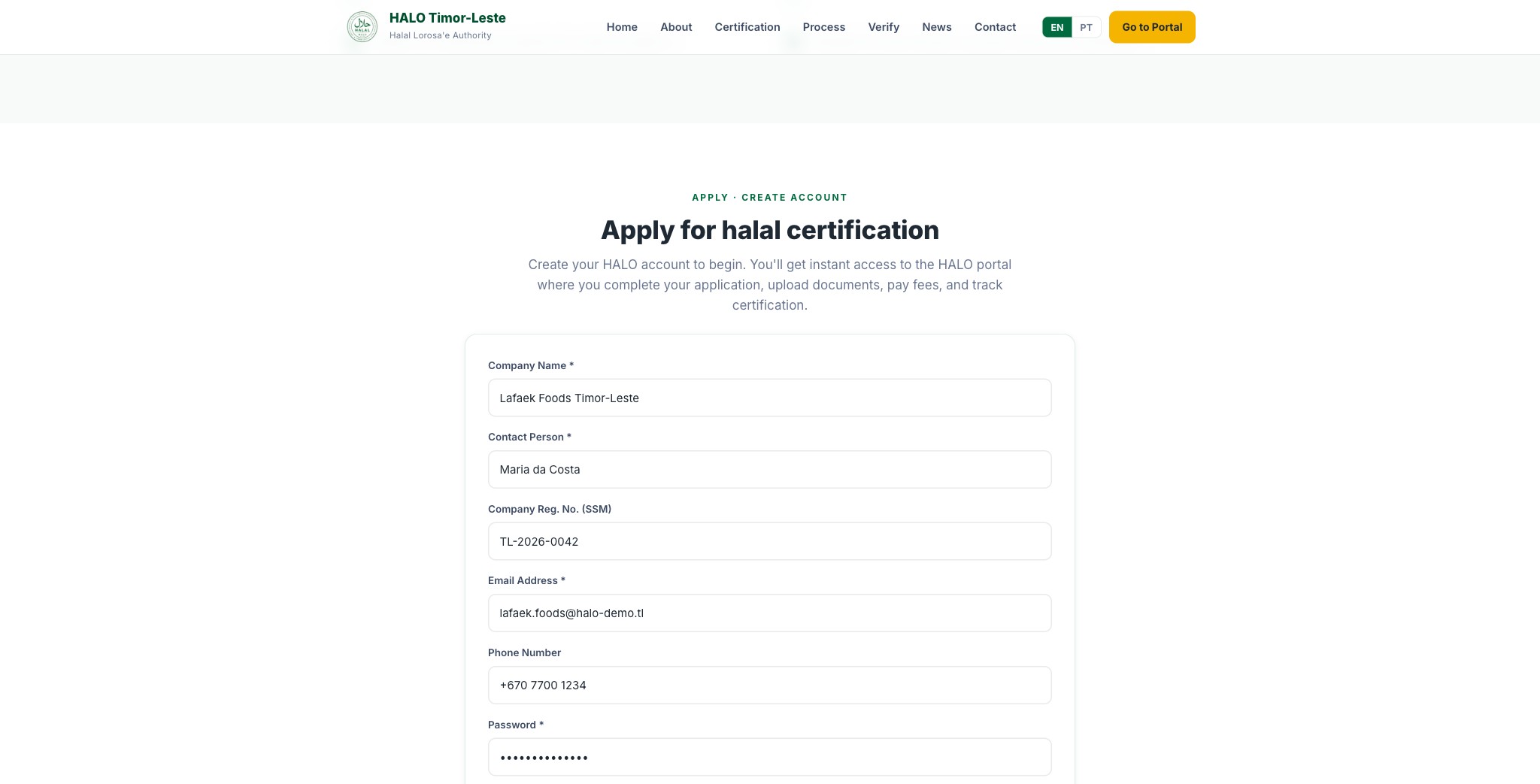
On the landing page choose Apply for Halal Certification and complete the application form with your company and contact details.
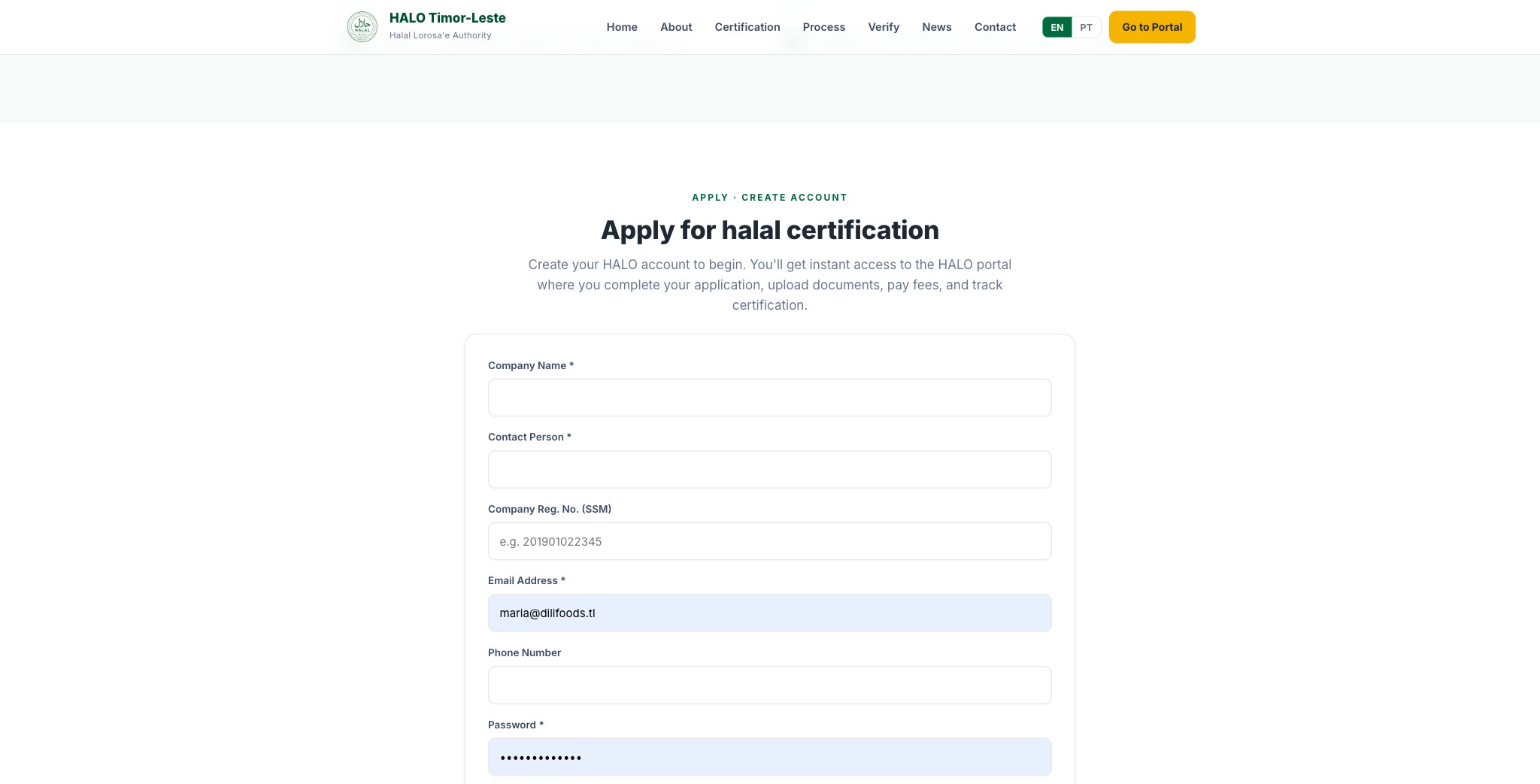
Set your password — this creates your account
The application form doubles as your account registration. The password you set here becomes your portal login. A welcome email is sent on submission.
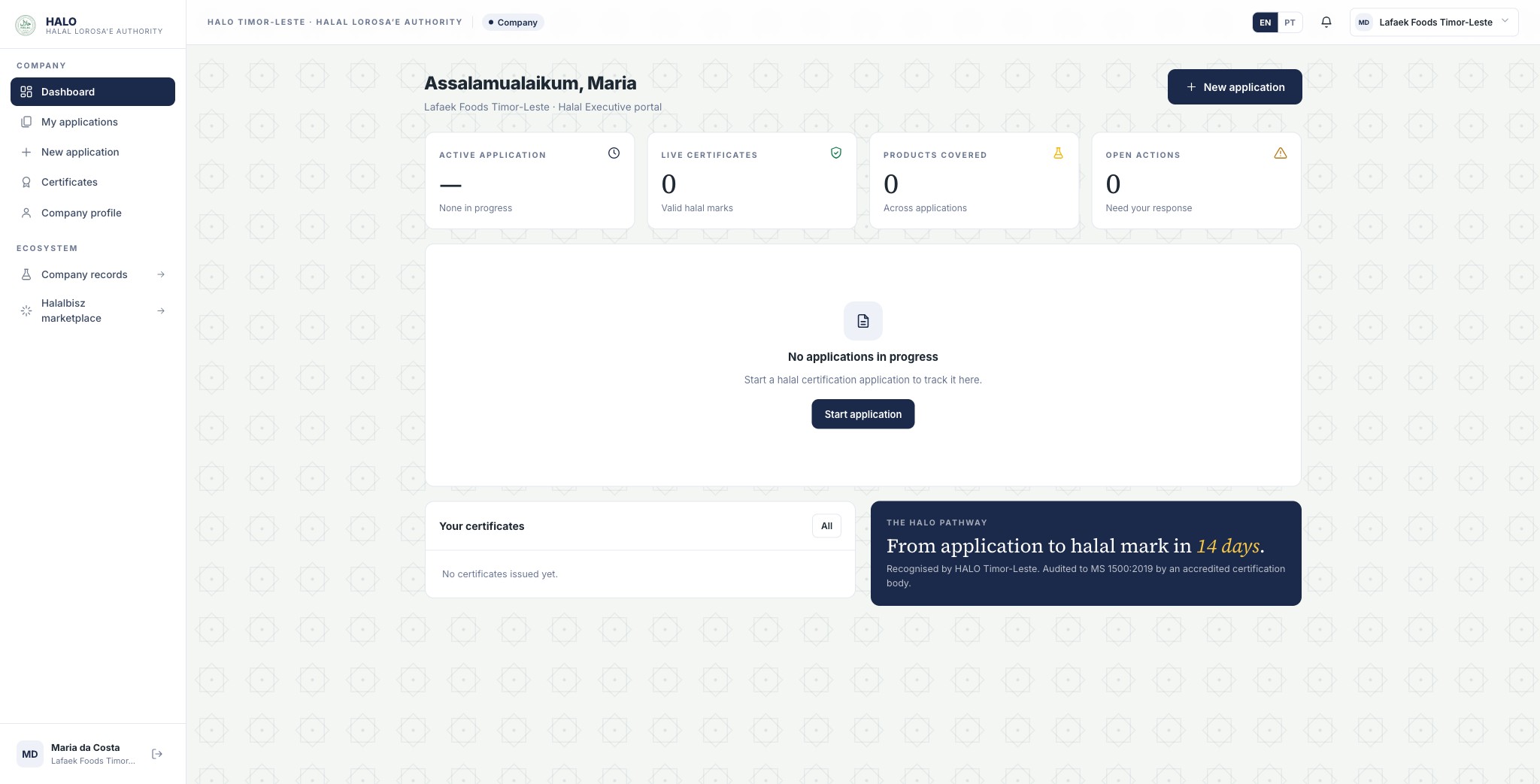
Your company dashboard
After submitting you are signed straight into the HALO portal. The dashboard shows active applications, live certificates, and the HALO 14-day certification pathway.
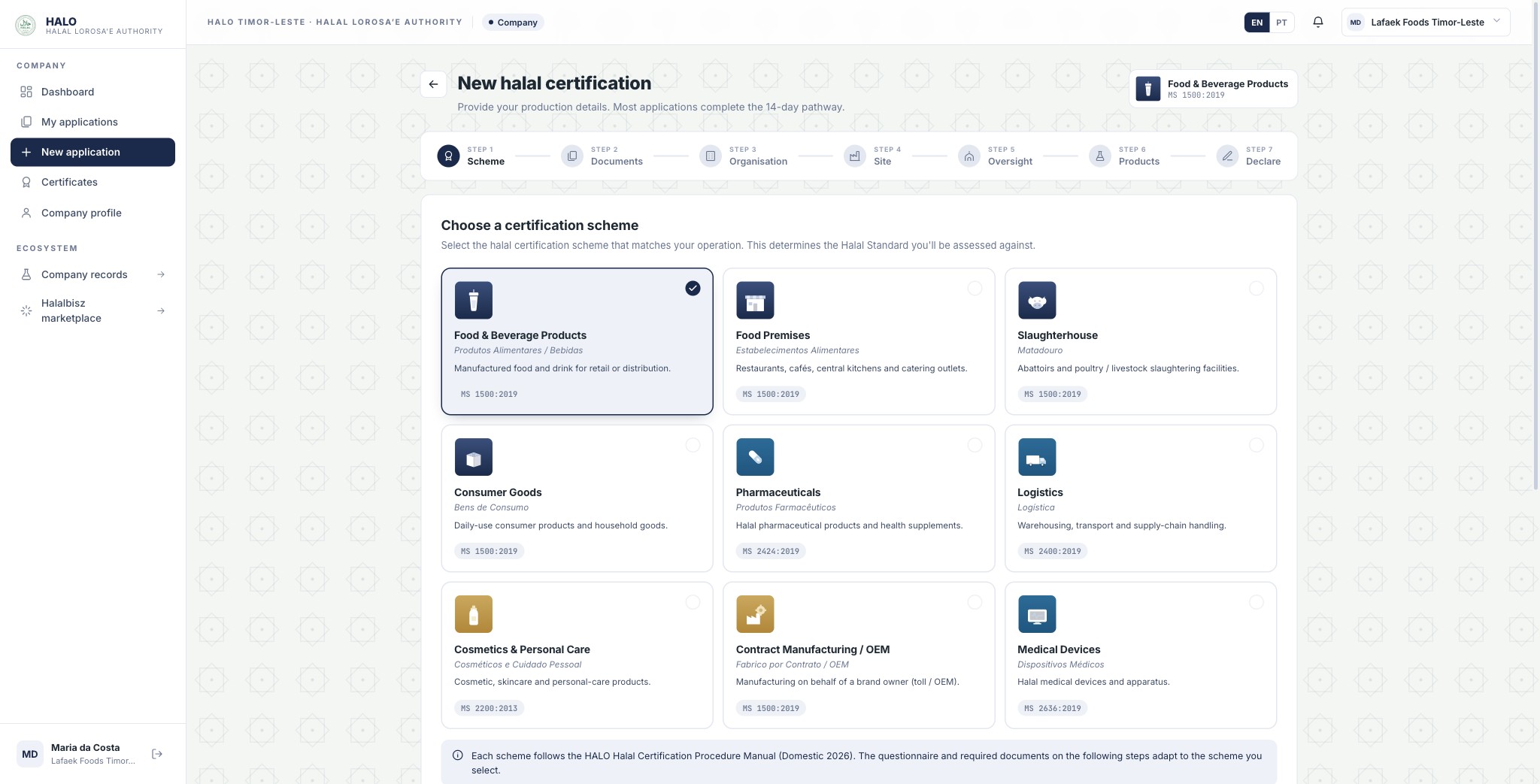
Choose a certification scheme
Select New application and pick the scheme that matches your operation (Food & Beverage, Premises, Cosmetics, etc.). Each scheme maps to its halal standard (e.g. MS 1500:2019).
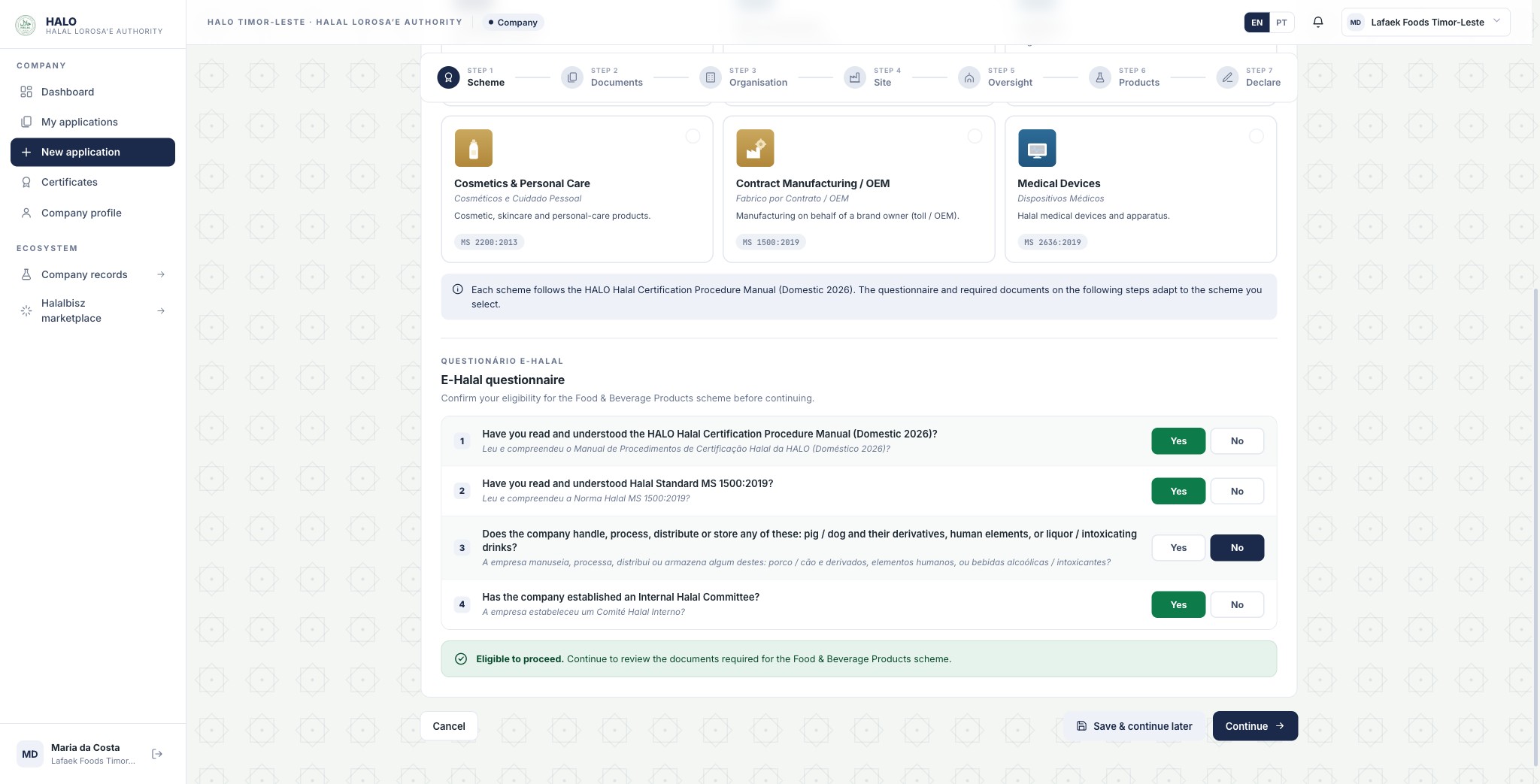
Complete the E-Halal questionnaire
Answer the bilingual (EN/PT) eligibility questions. Declaring that you do not handle pig, dog, human elements or intoxicants confirms you are eligible to proceed.
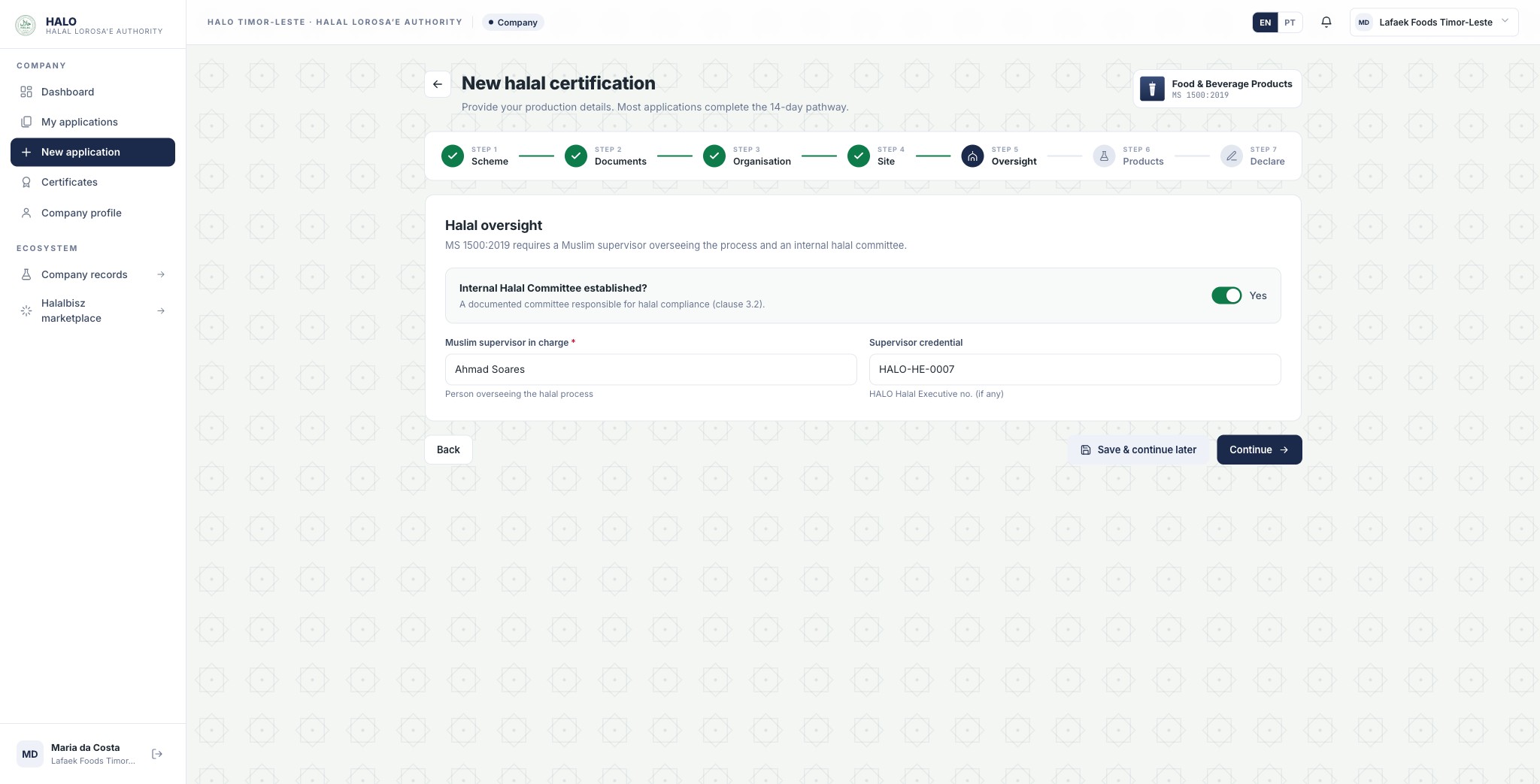
Review the required documents
The portal lists the documents required for your scheme. Upload what you have now; the rest can follow within 5 working days.
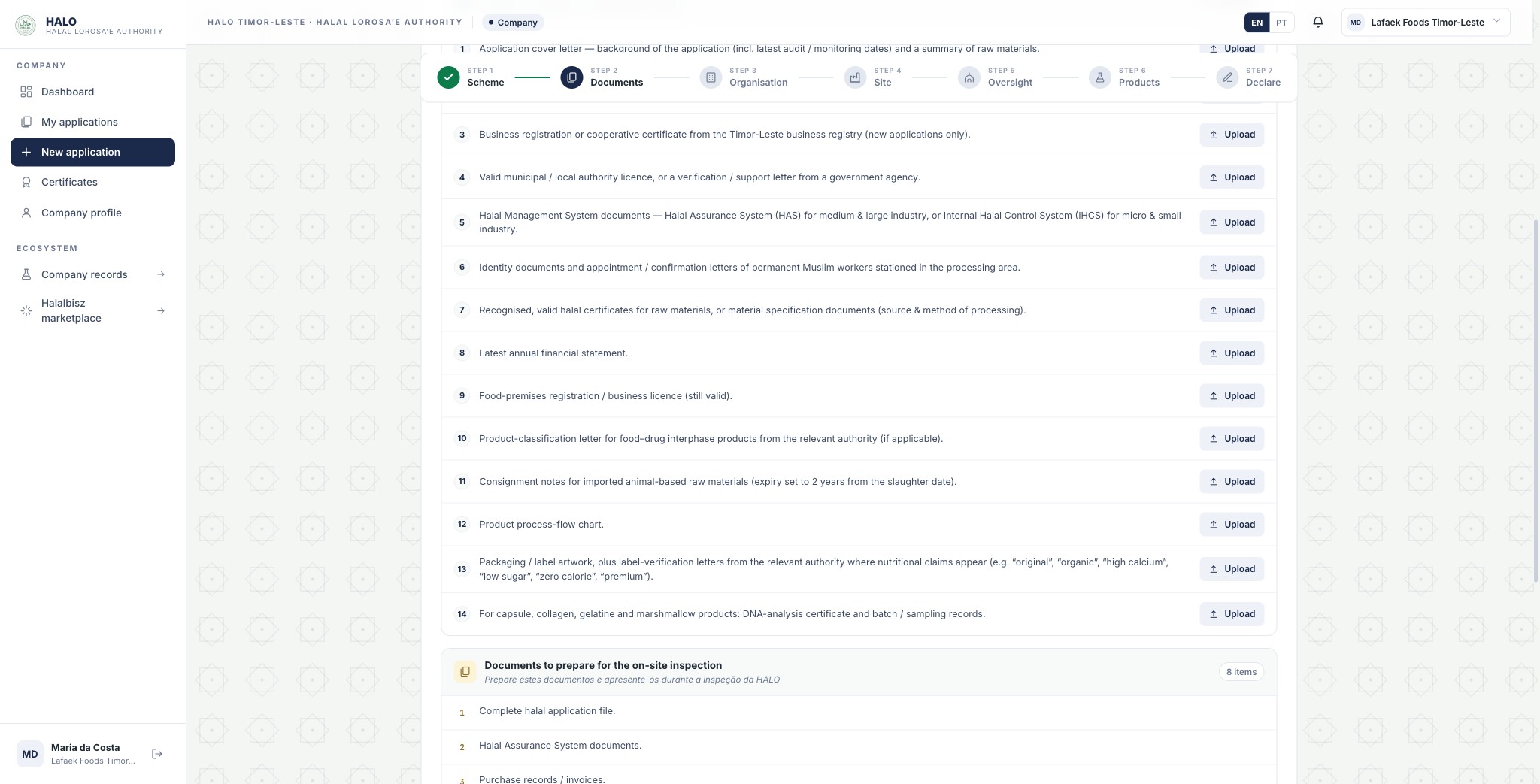
Organisation & contact (prefilled)
Your company details are prefilled from your profile so you do not re-key them. Adjust if needed.
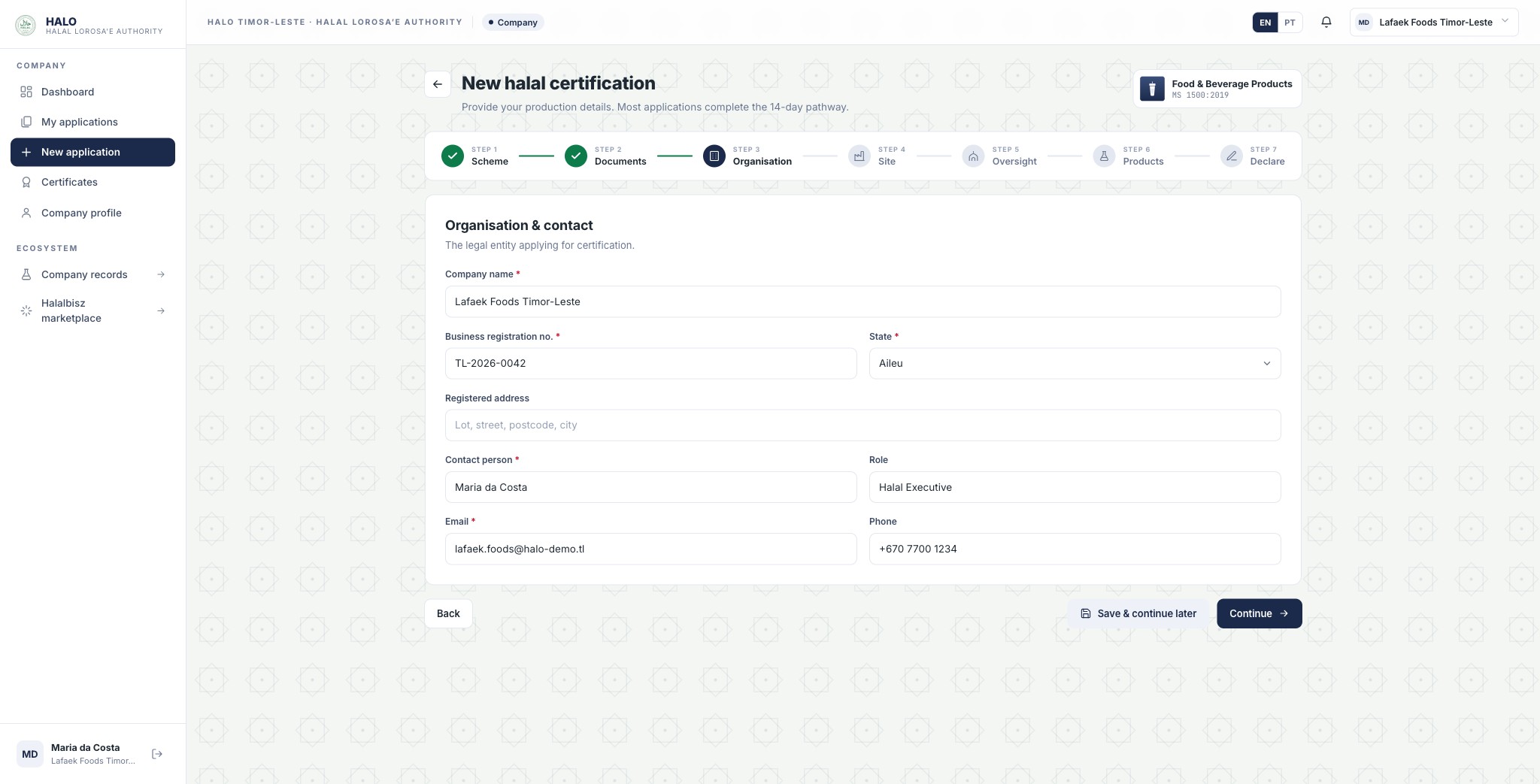
Production site
Record the plant to be audited — address, capacity, workforce and a short process description.
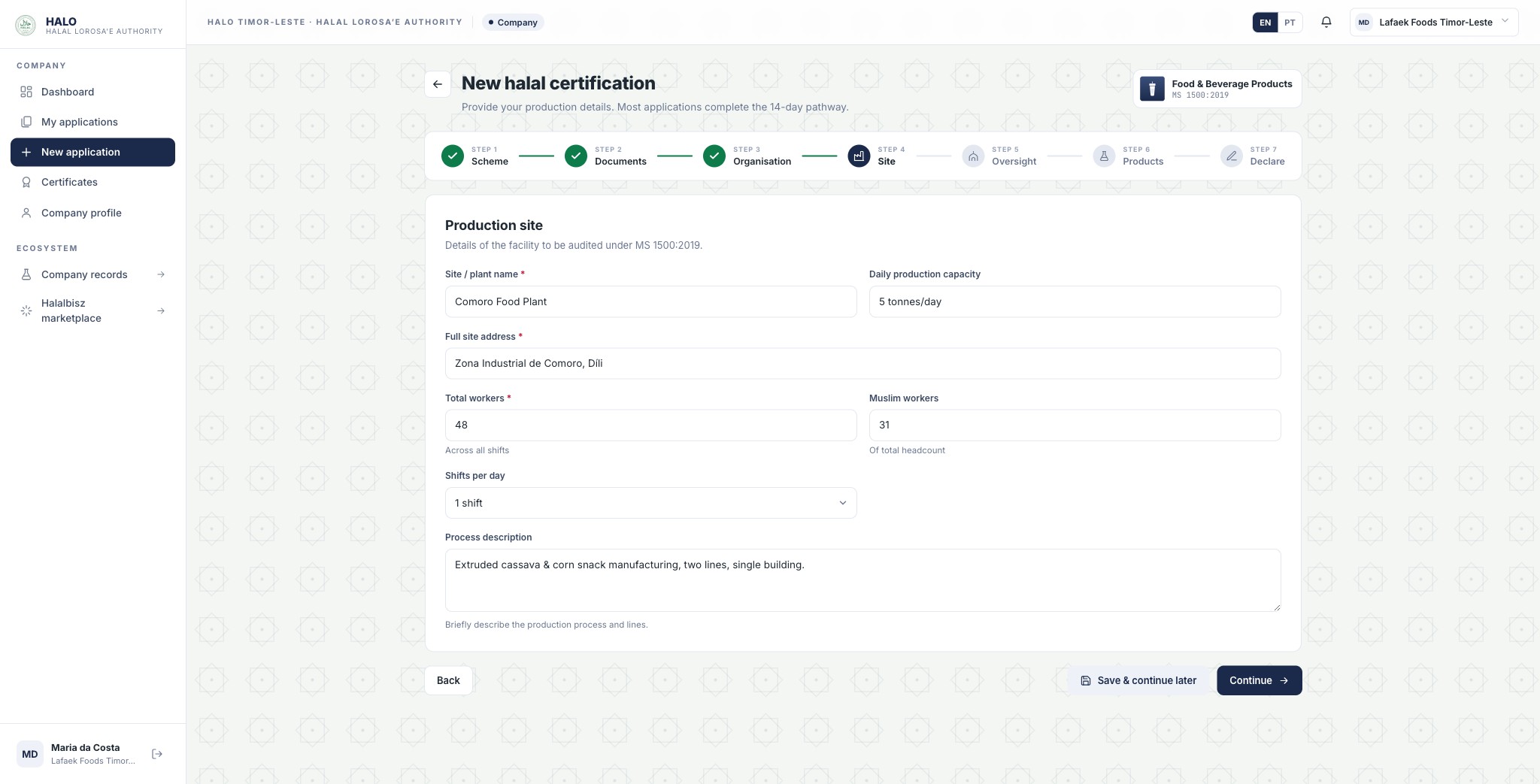
Halal oversight
Declare your Internal Halal Committee and the Muslim supervisor overseeing the halal process, as required by MS 1500:2019.
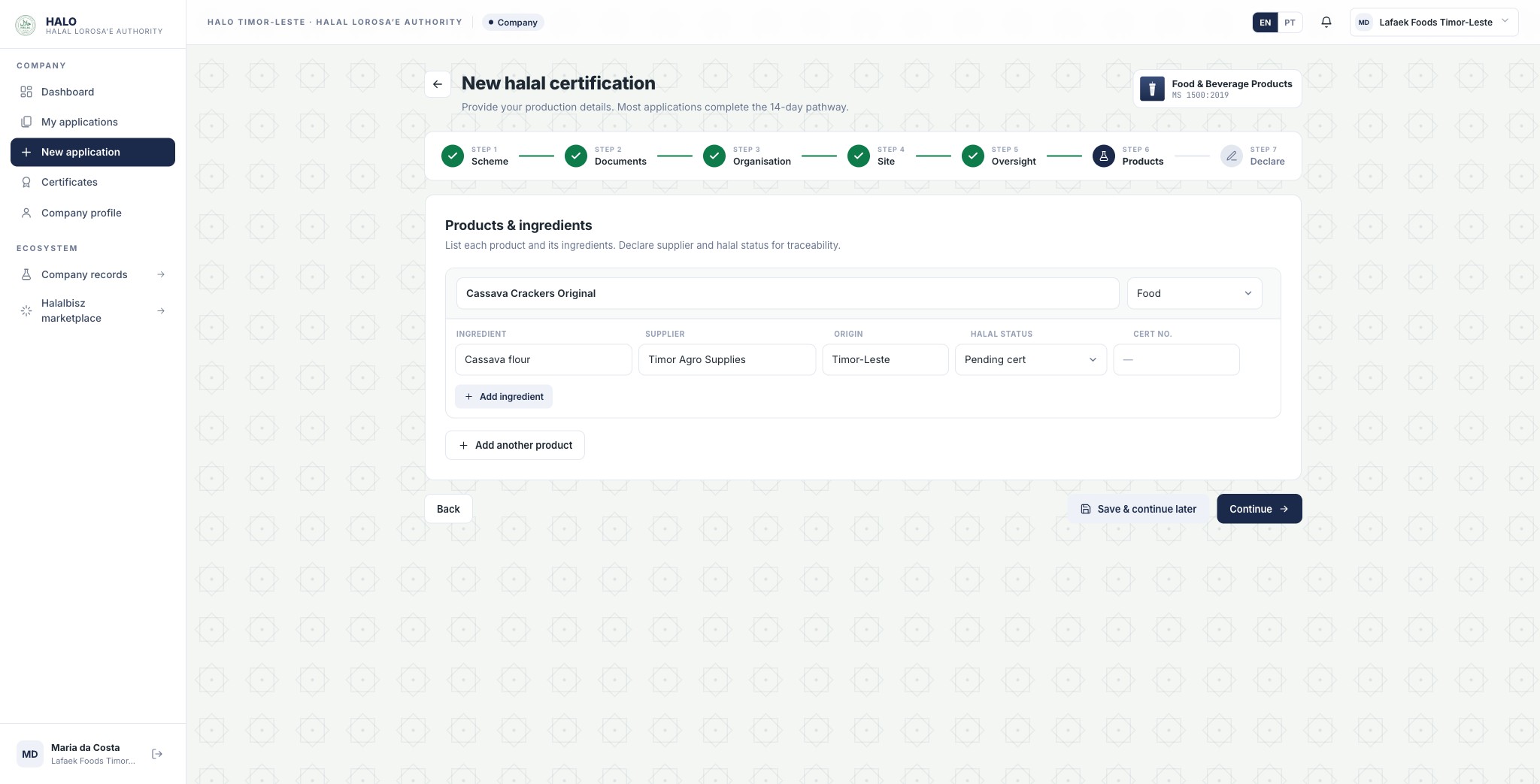
Products & ingredients in scope
List each product and its ingredients with supplier, origin and halal status for traceability.
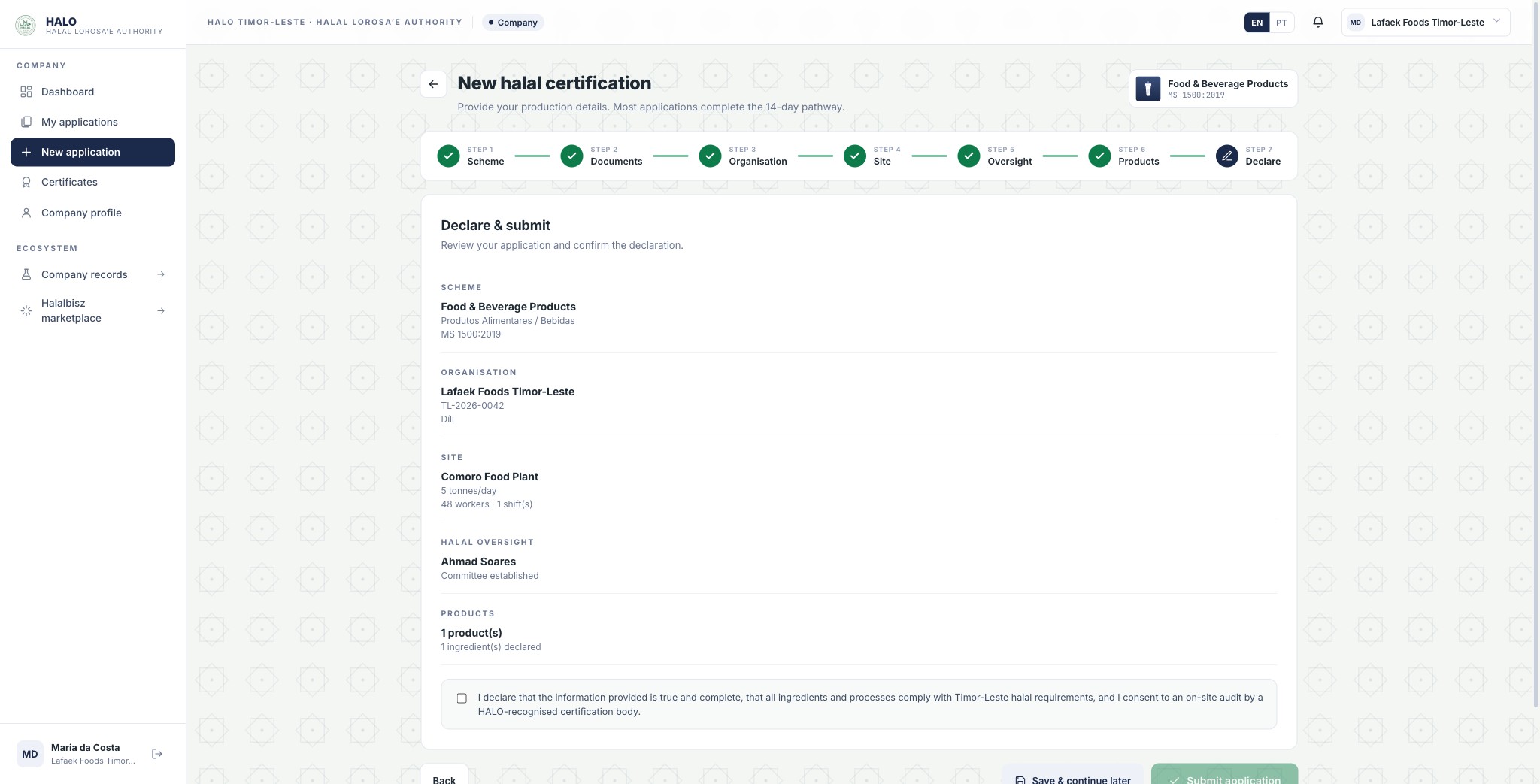
Review & declare
Review the full application summary, accept the declaration, and submit.
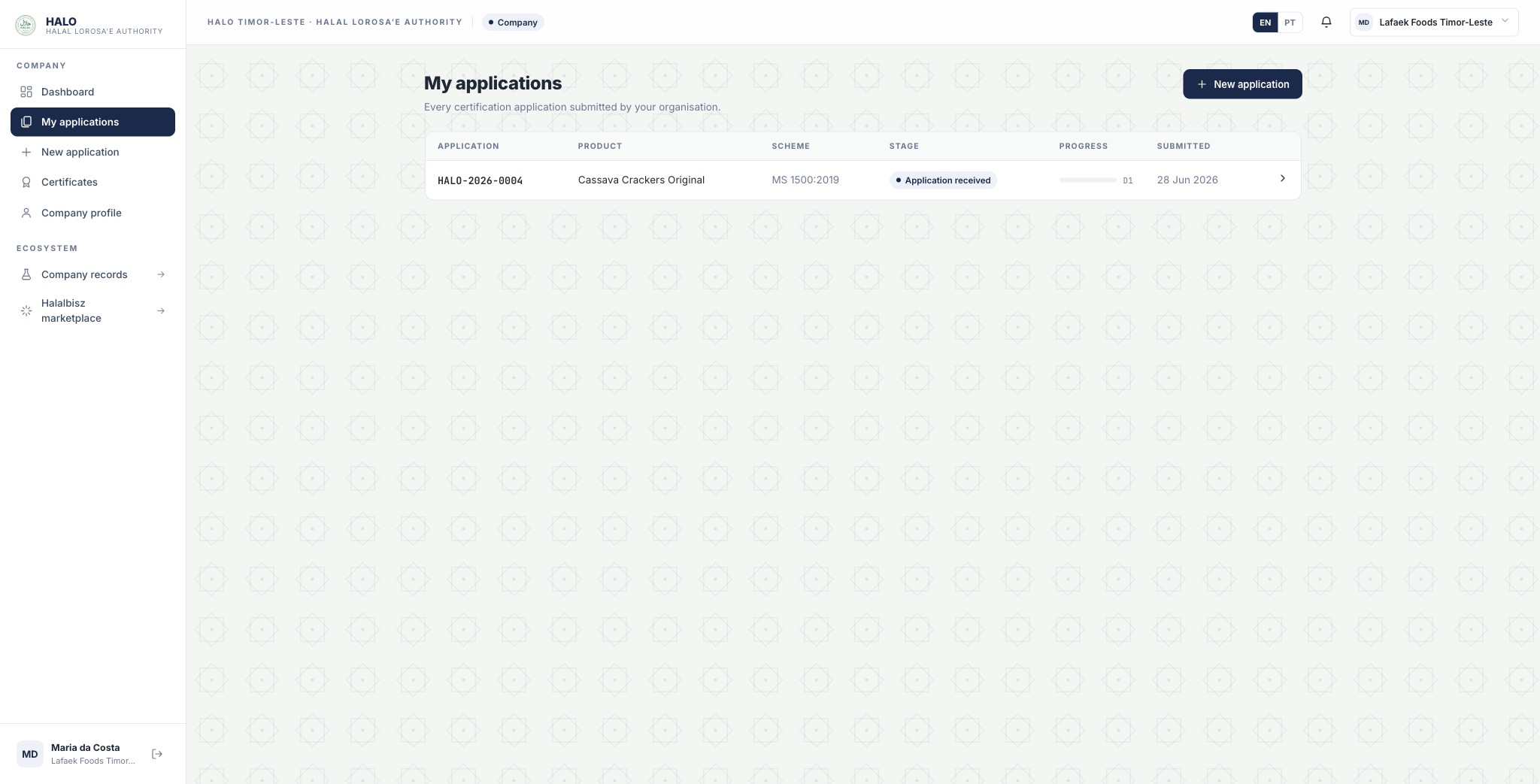
Track your application
Your application appears under My applications with its current stage and progress.
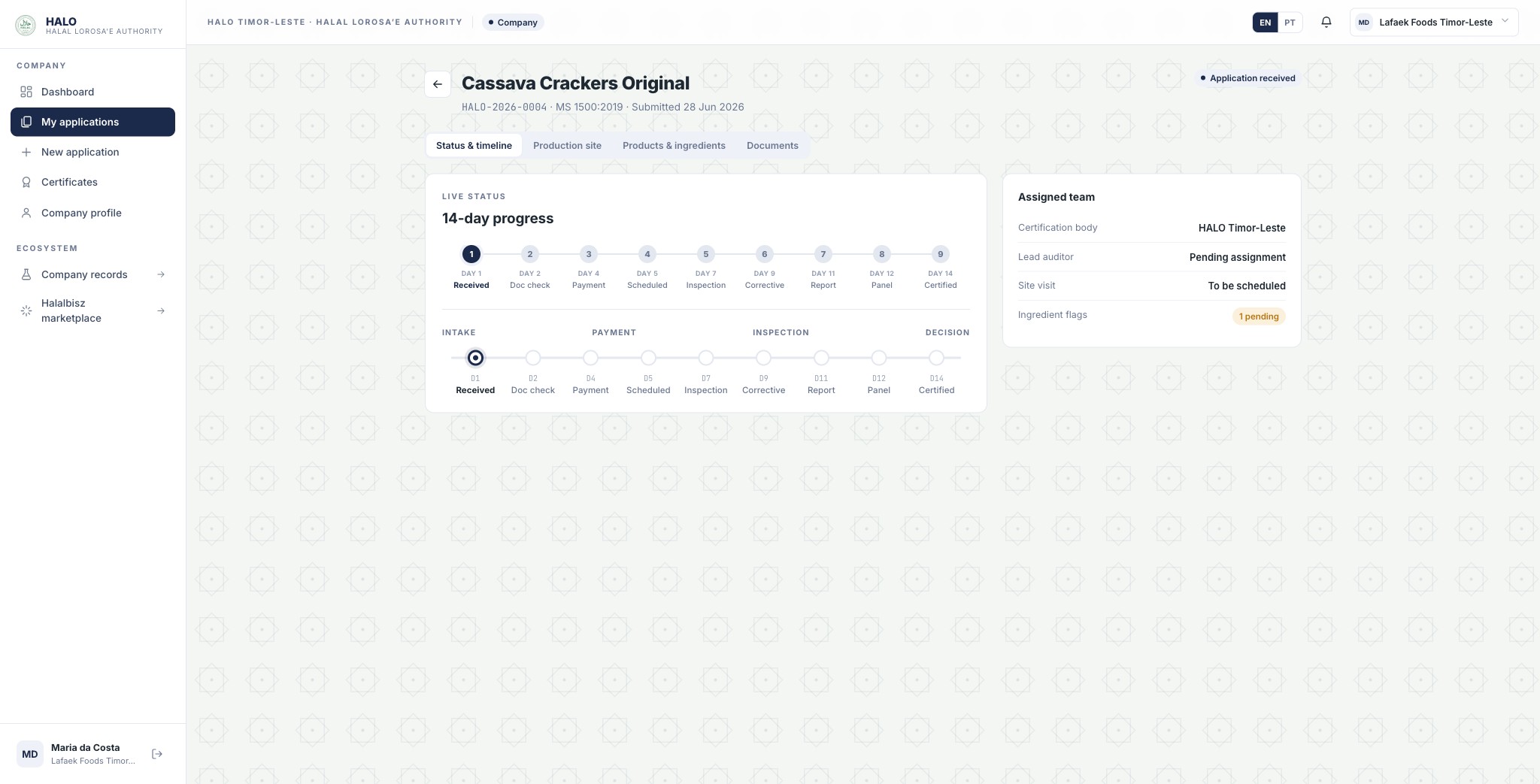
Follow the 14-day pathway
Open the application to see the live 14-day progress tracker, the assigned team, and any actions awaiting you.
Fee notice
Once HALO completes the document review, a fee notice is issued. Settle it to move to inspection scheduling.
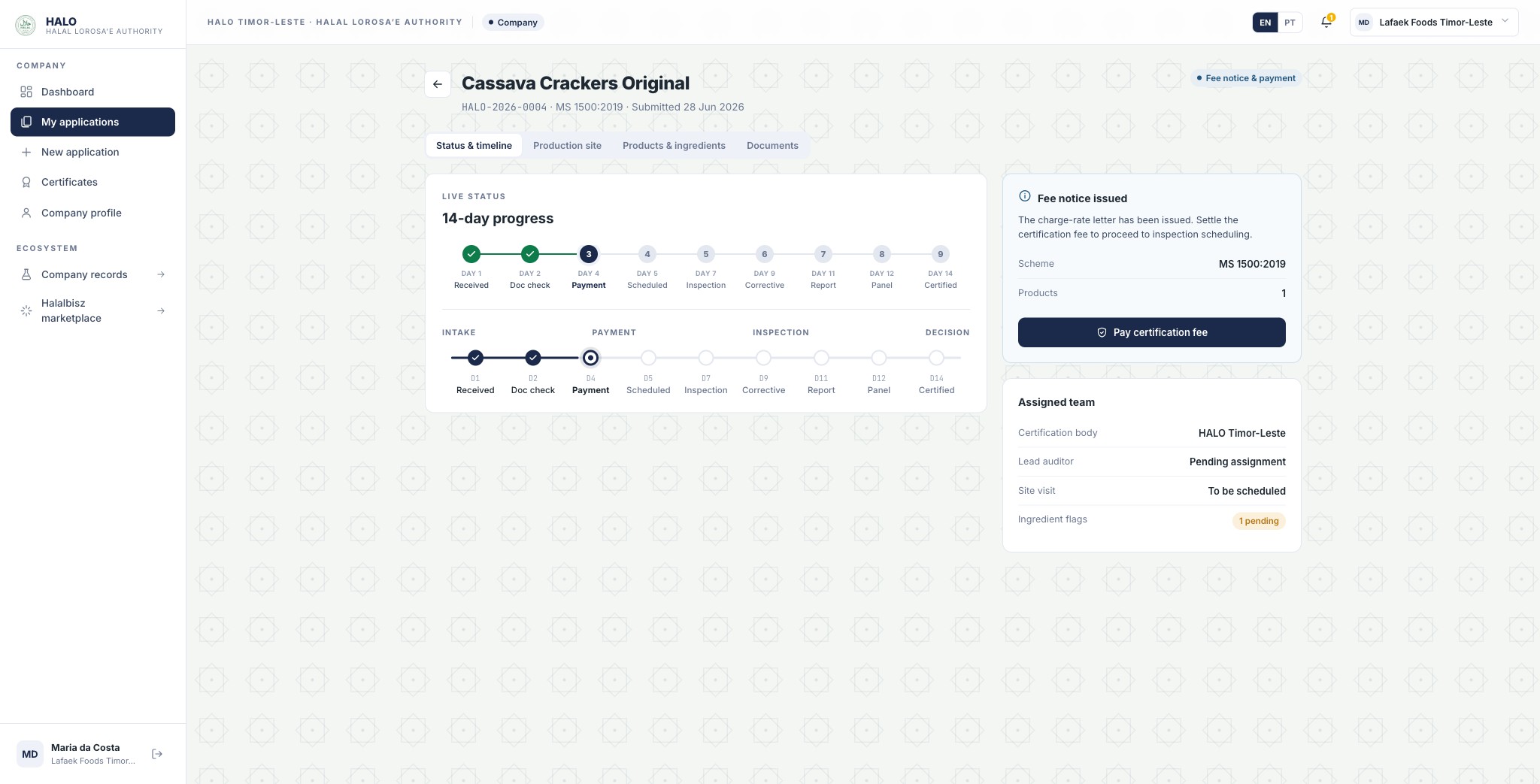
Pay the certification fee
Pay securely in USD via Timor-Leste online banking (BNCTL, BNU, BRI, ANZ), card, or bank transfer.
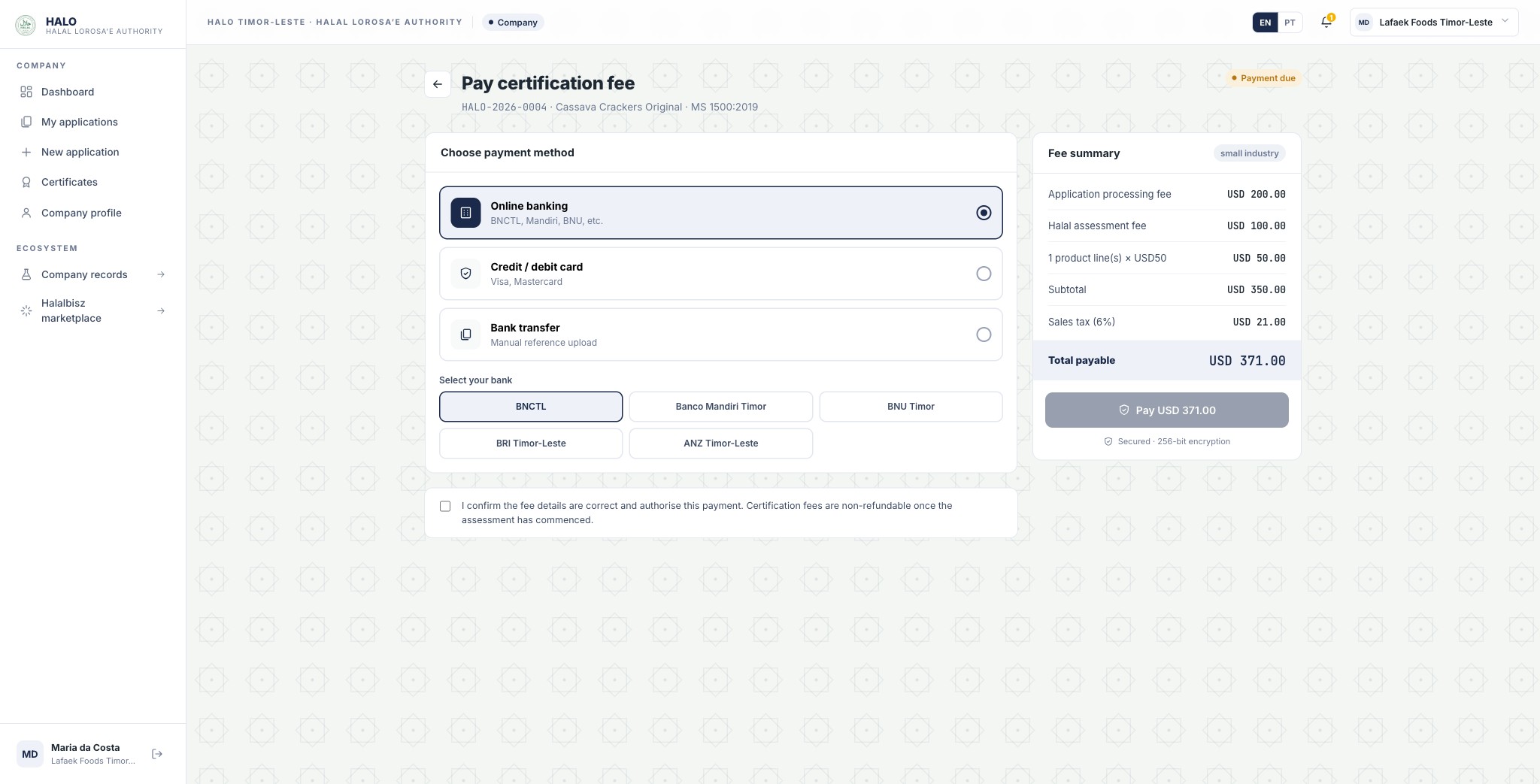
Official receipt
An official receipt is issued immediately on payment.
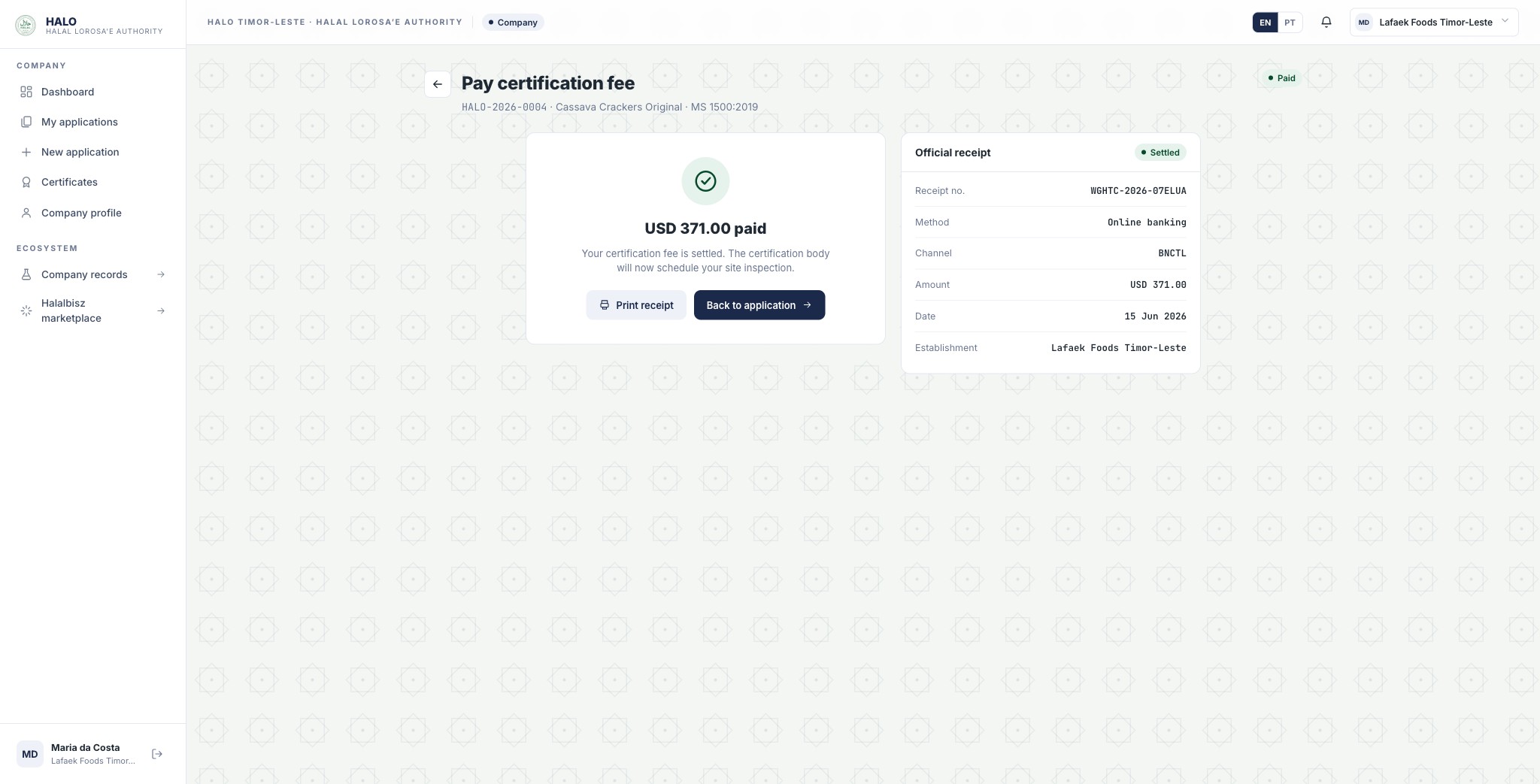
Maintain your company profile
Keep your company identity, address, business profile and contacts up to date — organised in clear tabs.
Company records
Maintain your master records: products, factories / production sites and distributors.
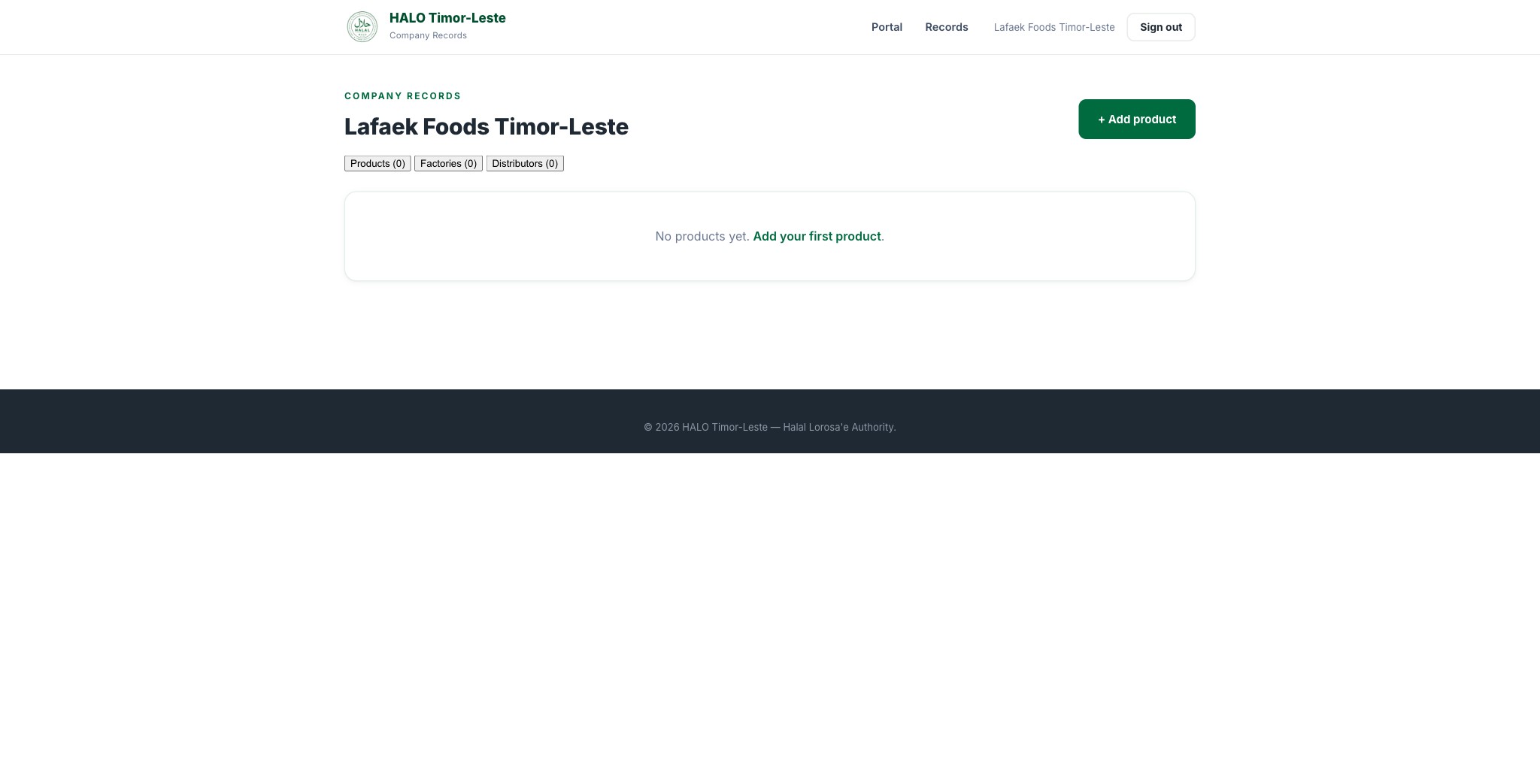
Add a product & link its certificate
Create a product with its declared ingredients and link an issued certificate. The product then publishes a public, verifiable page.
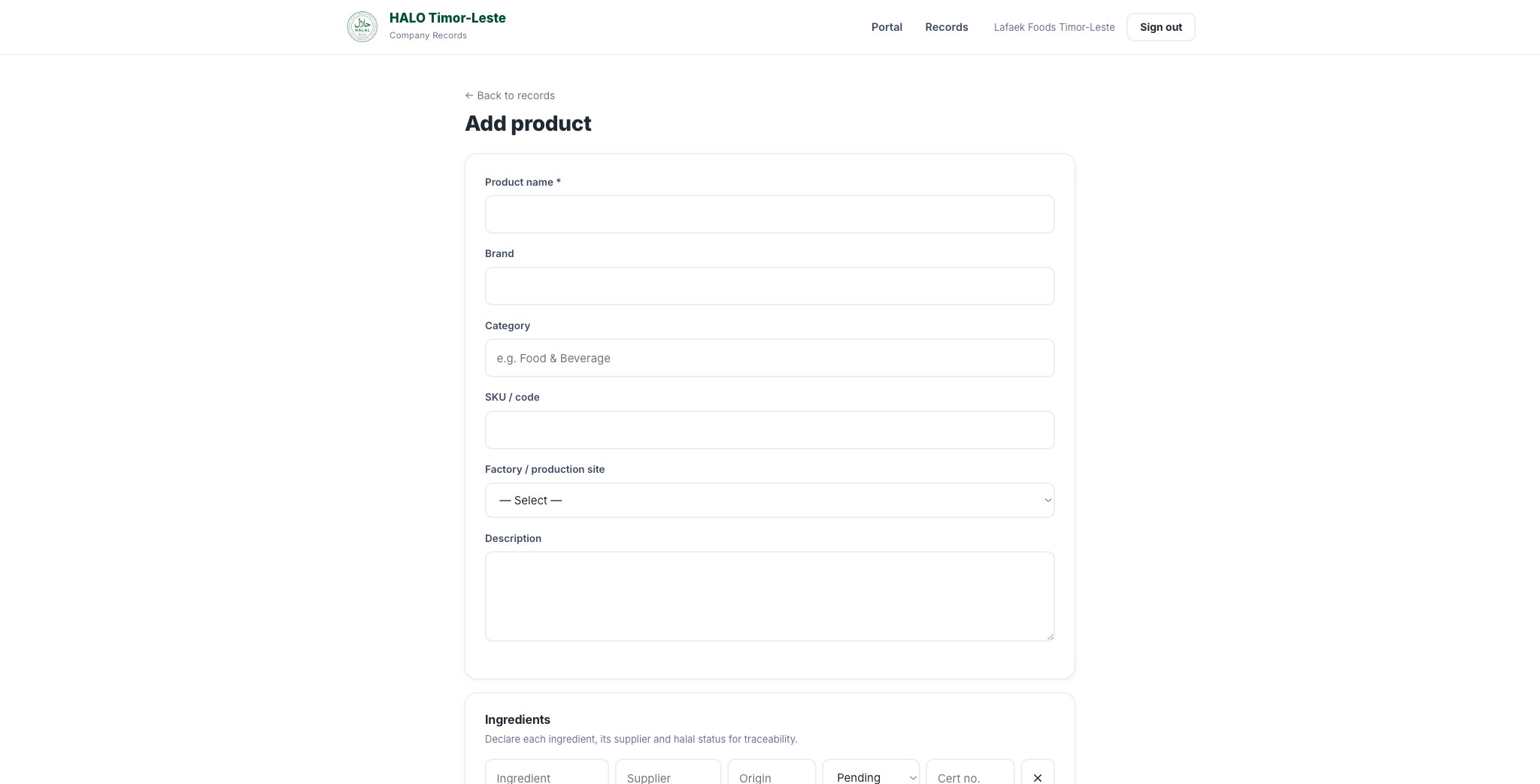
Your halal certificate
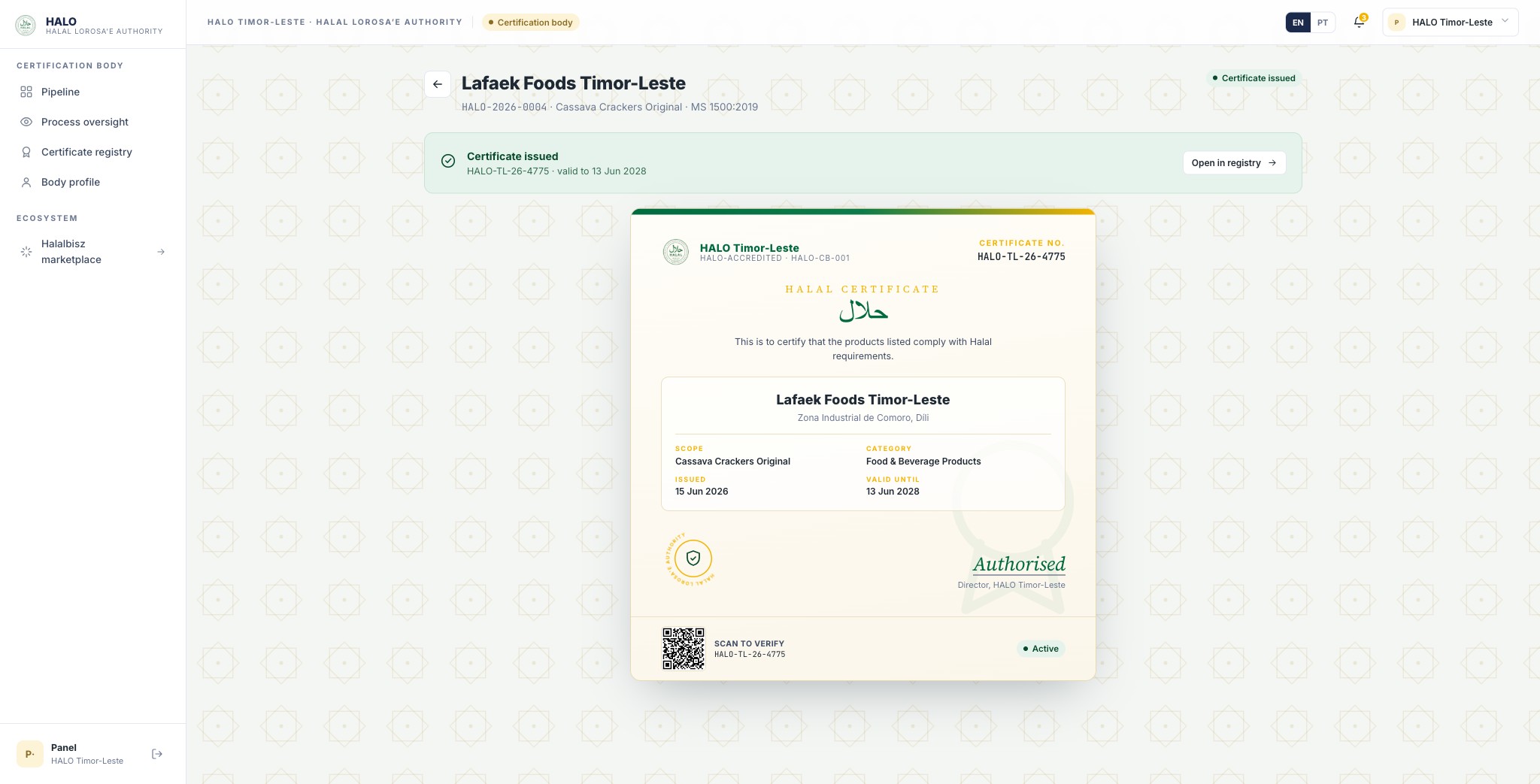
Issued certificates appear under Certificates, each with a scannable QR code, print and PDF download.
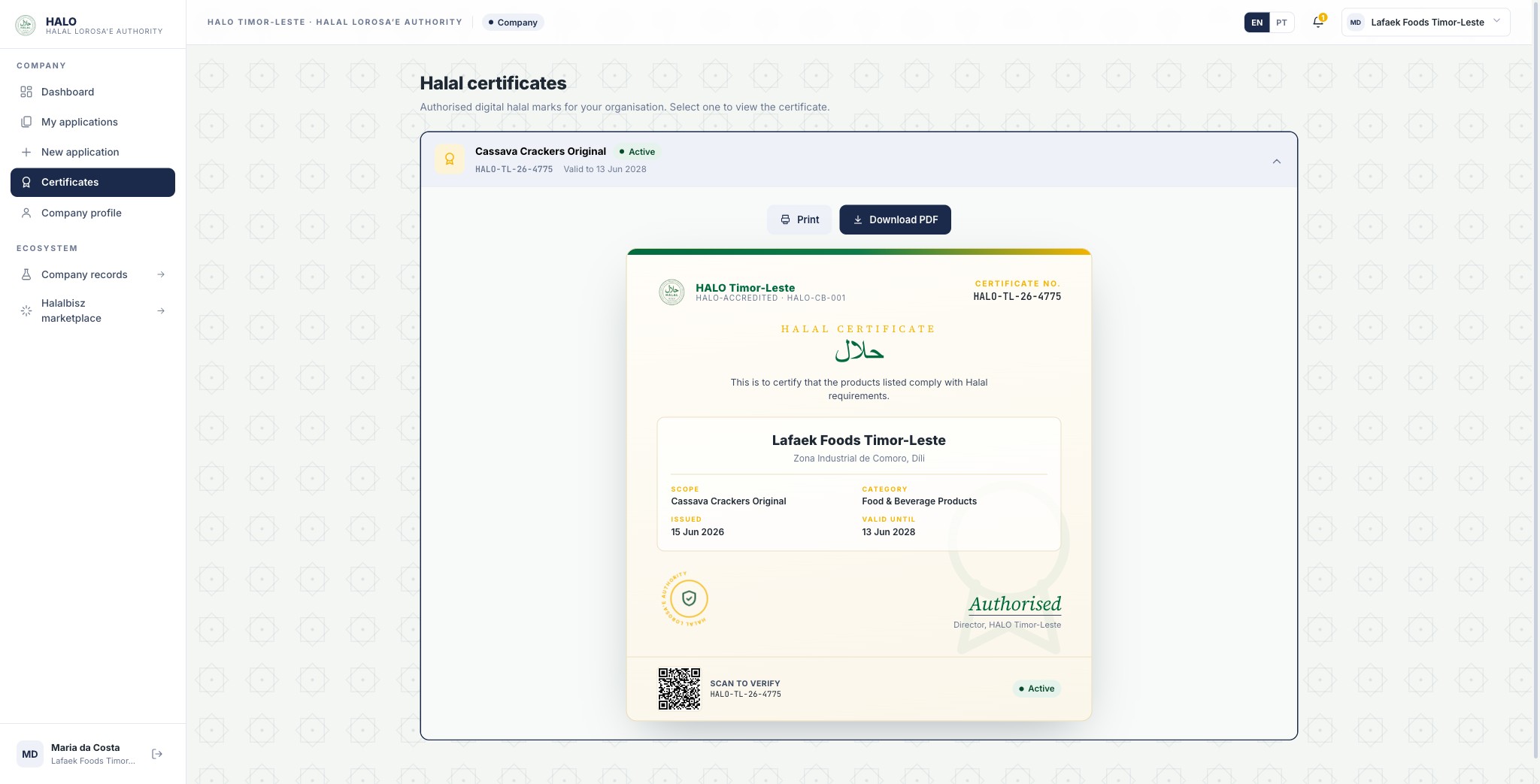
Certification Body (HALO panel)
How the HALO certification panel screens applications, assigns auditors, validates the audit, and issues certificates.
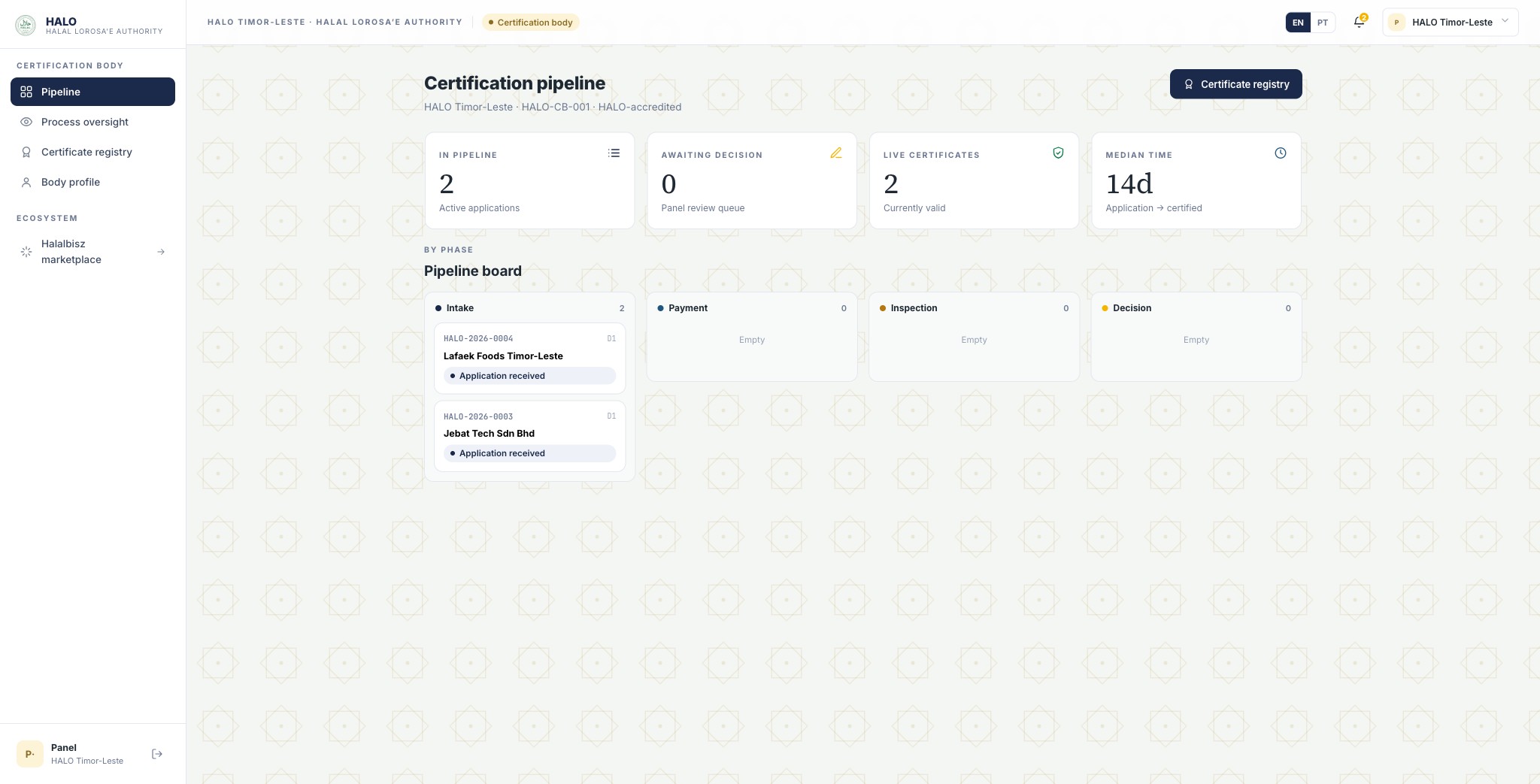
Certification pipeline
The certification body sees every application in one pipeline, grouped by stage.
Document & ingredient review
Open an application to review submitted documents and verify each ingredient and supplier certificate.
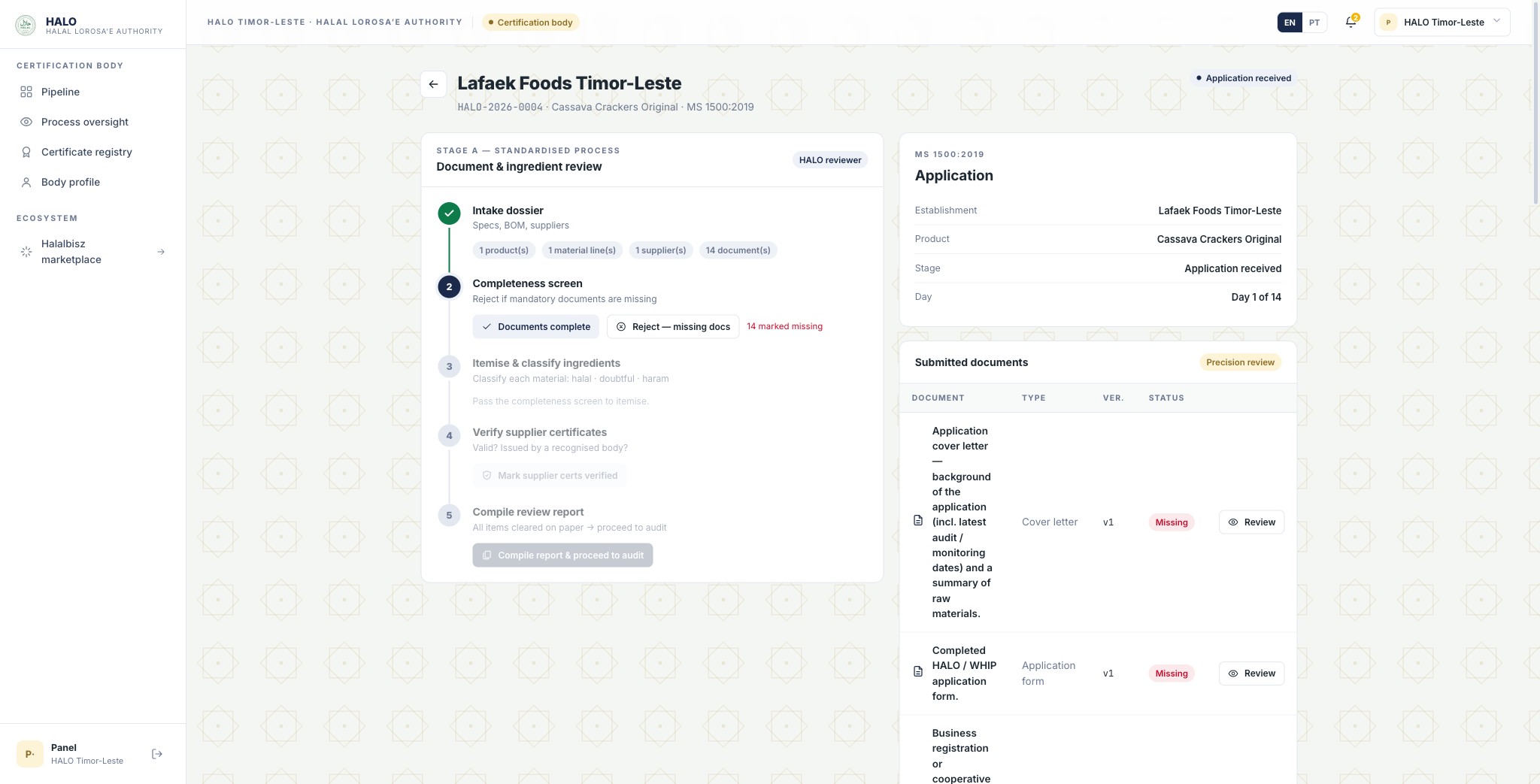
Issue the fee notice
Once documents are complete, issue the fee notice (charge-rate letter). The application waits for the applicant's payment.
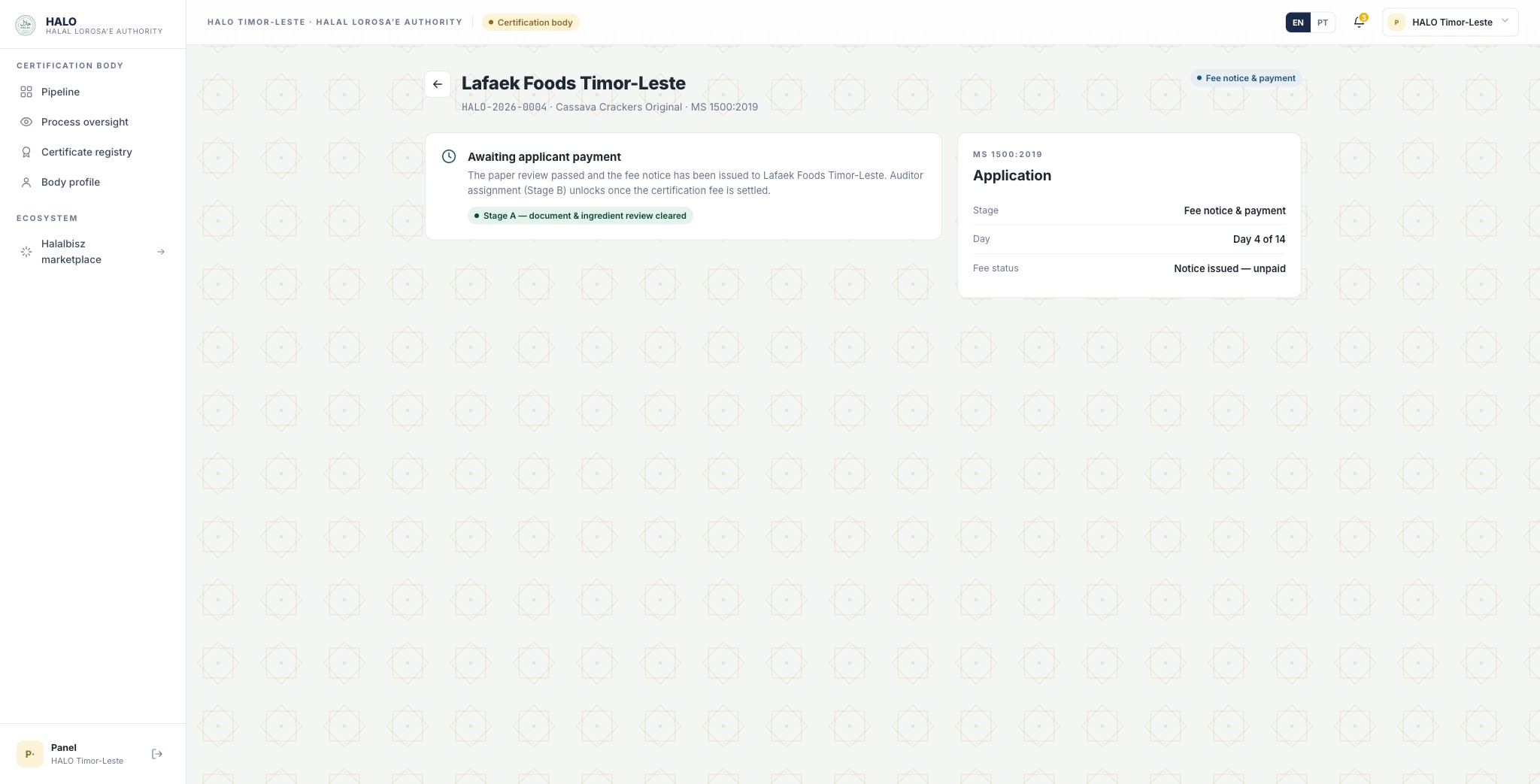
Assign a qualified auditor
Determine audit scope and risk, match a qualified accredited auditor, run the impartiality conflict check, confirm the date, and issue the audit pack.
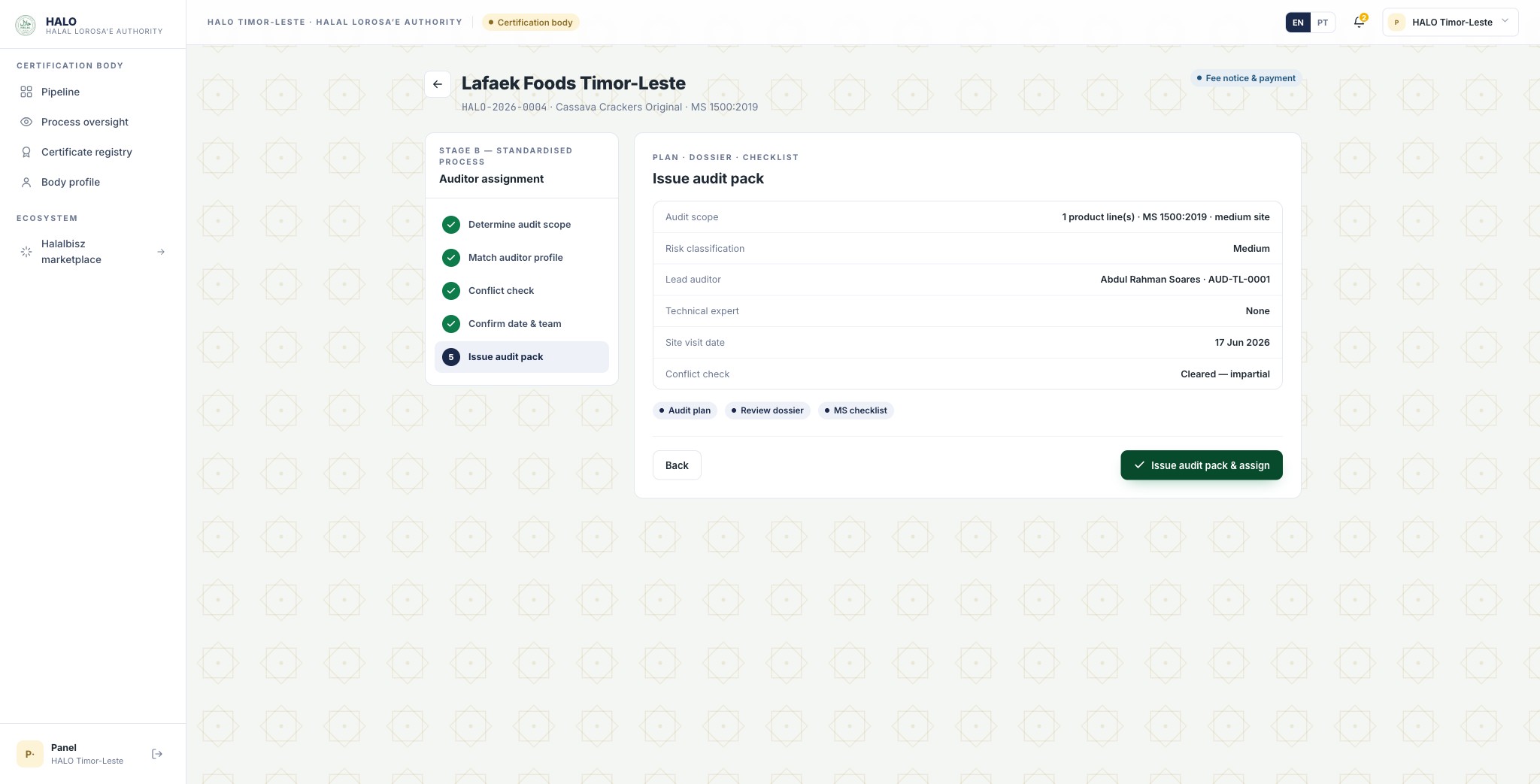
Validate the audit record & evidence
Before the panel, the certification body reviews the full MS 1500:2019 checklist results and the on-site photo evidence captured by the auditor.
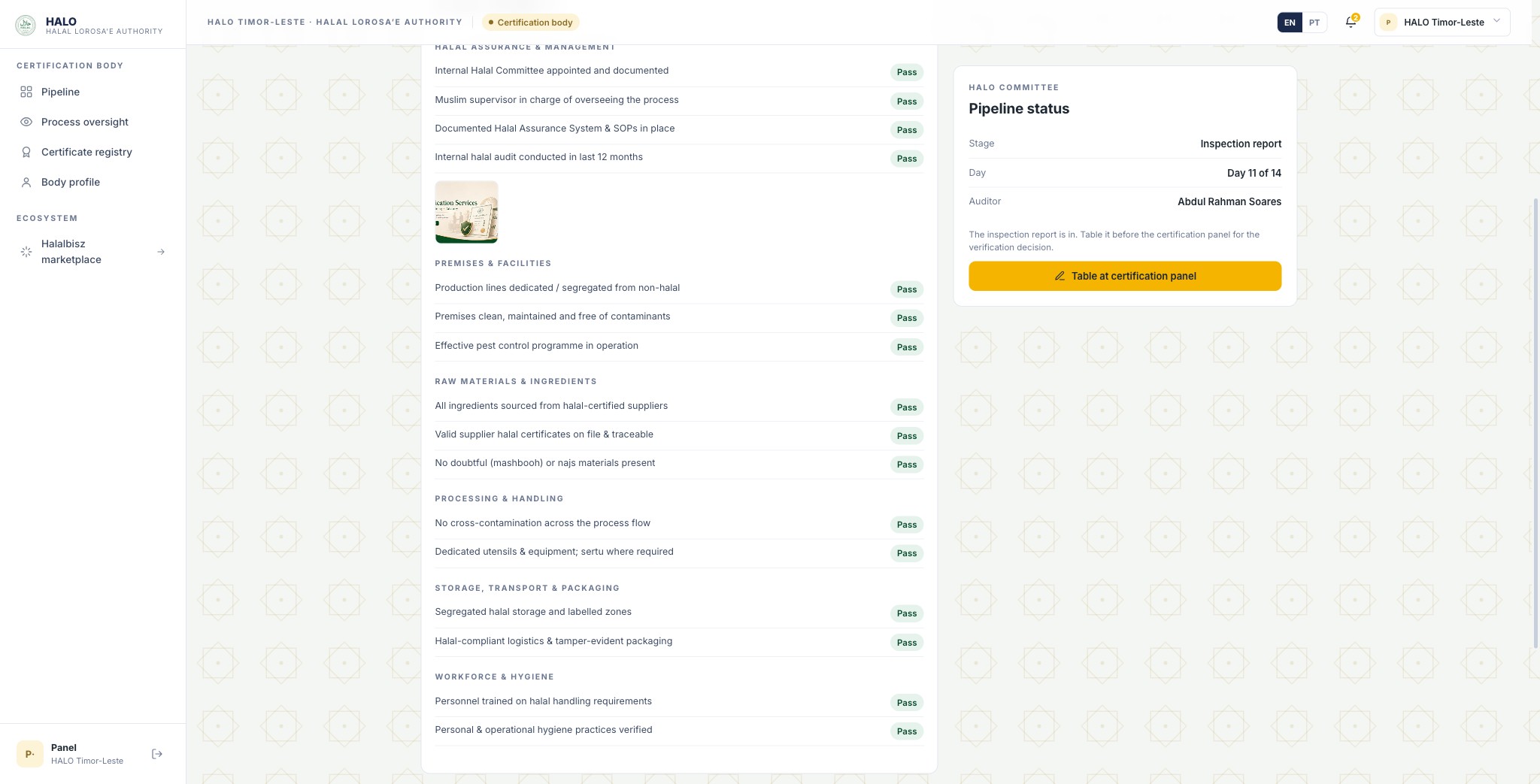
Table at the certification panel
With the audit validated, table the application for the panel verification decision.
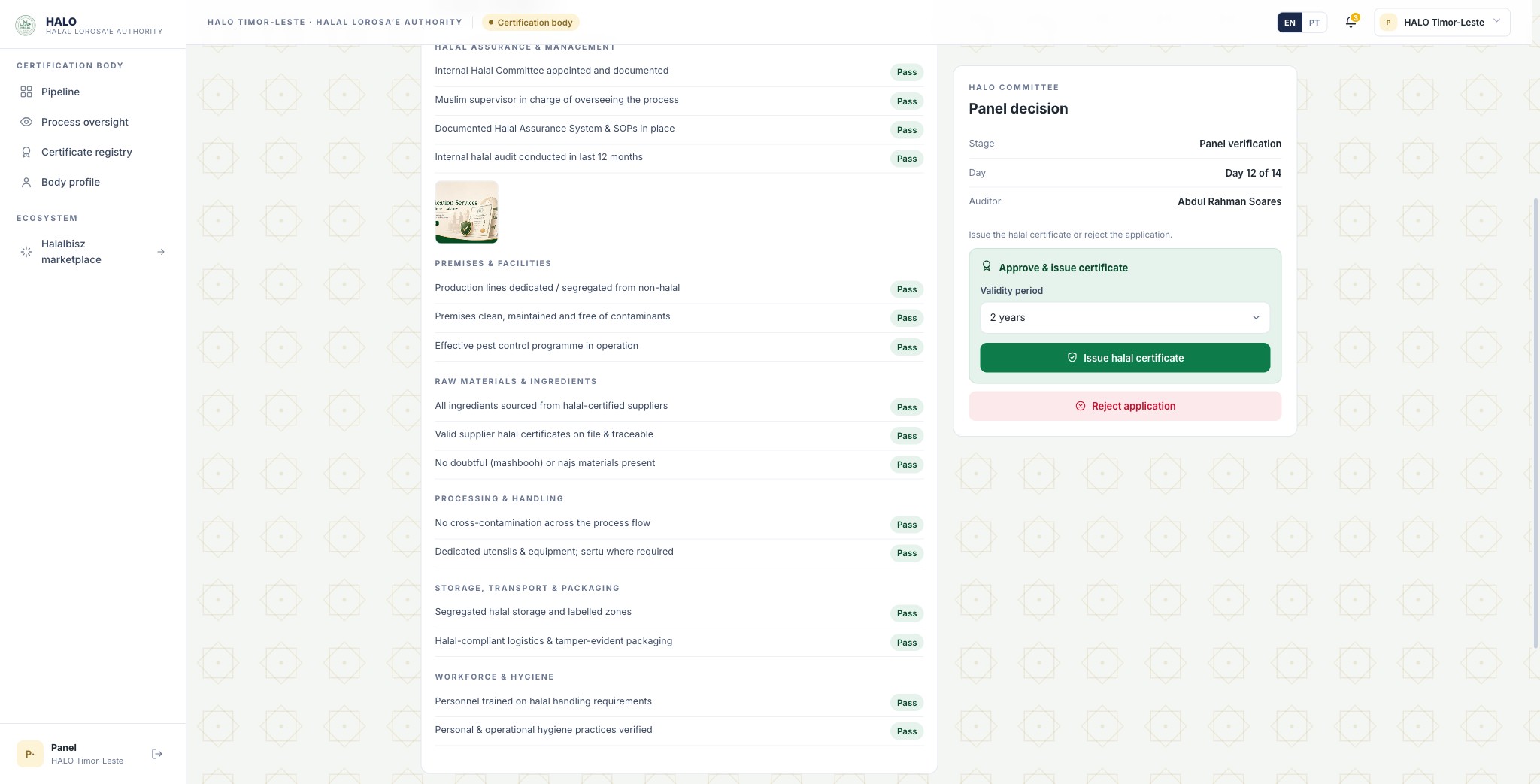
Issue the halal certificate
On approval, issue the halal certificate. It is recorded in the registry and becomes publicly verifiable instantly.
Auditor
How an accredited auditor conducts the on-site MS 1500:2019 inspection and signs off the report.
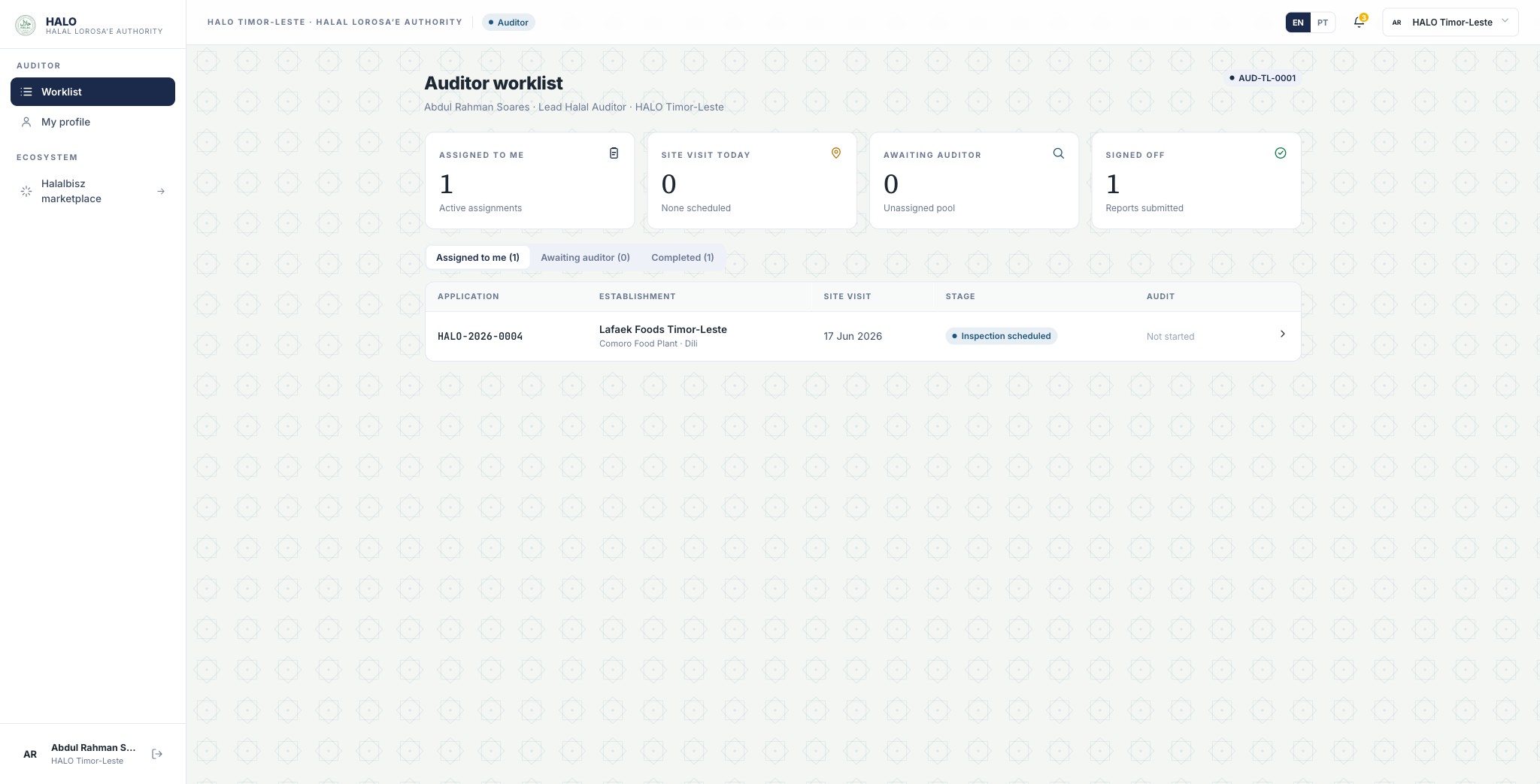
Auditor worklist
The auditor sees audits assigned to them, separated into assigned, awaiting and completed.
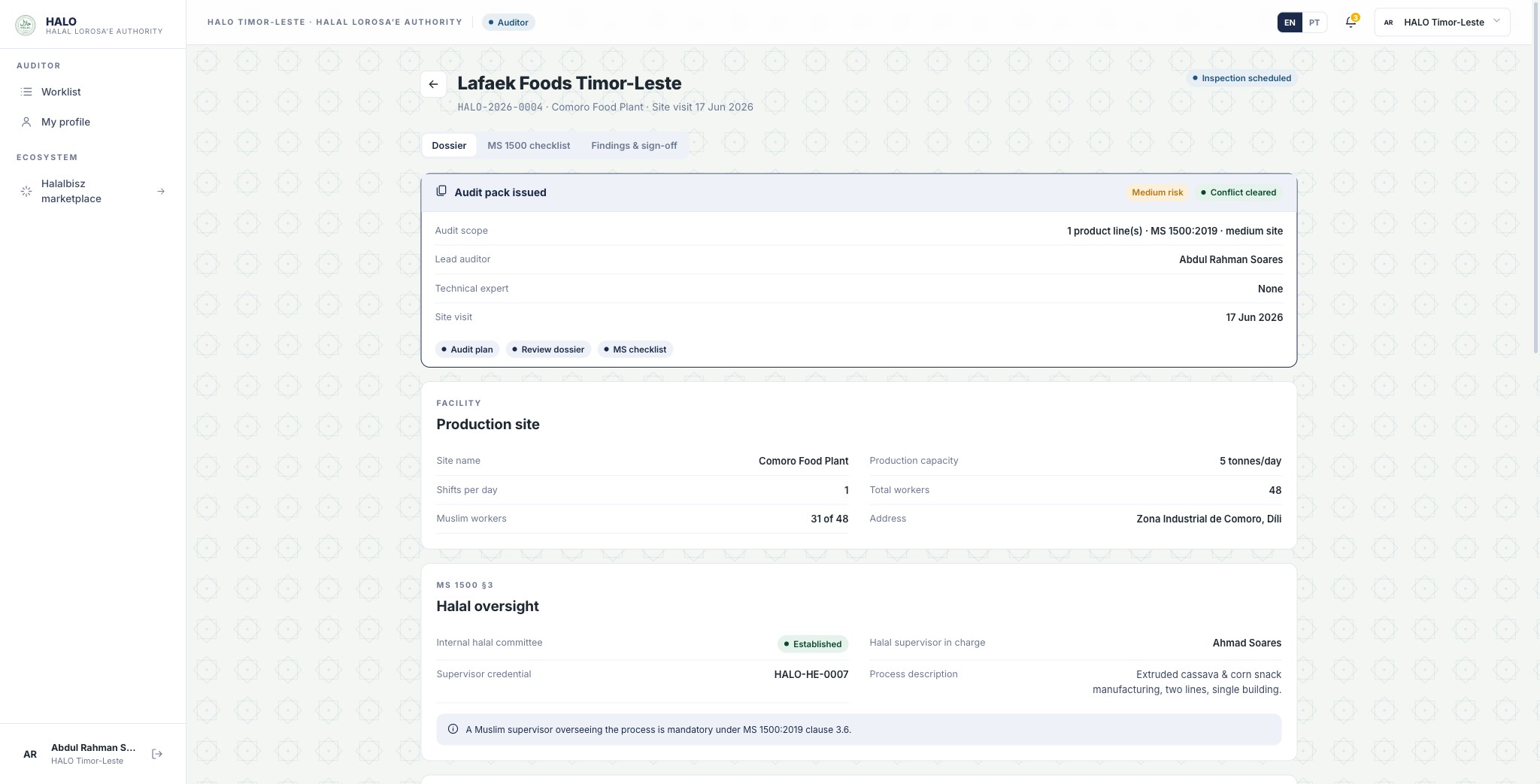
Open the assigned audit
Open the audit to review the dossier — company, site and halal oversight details.
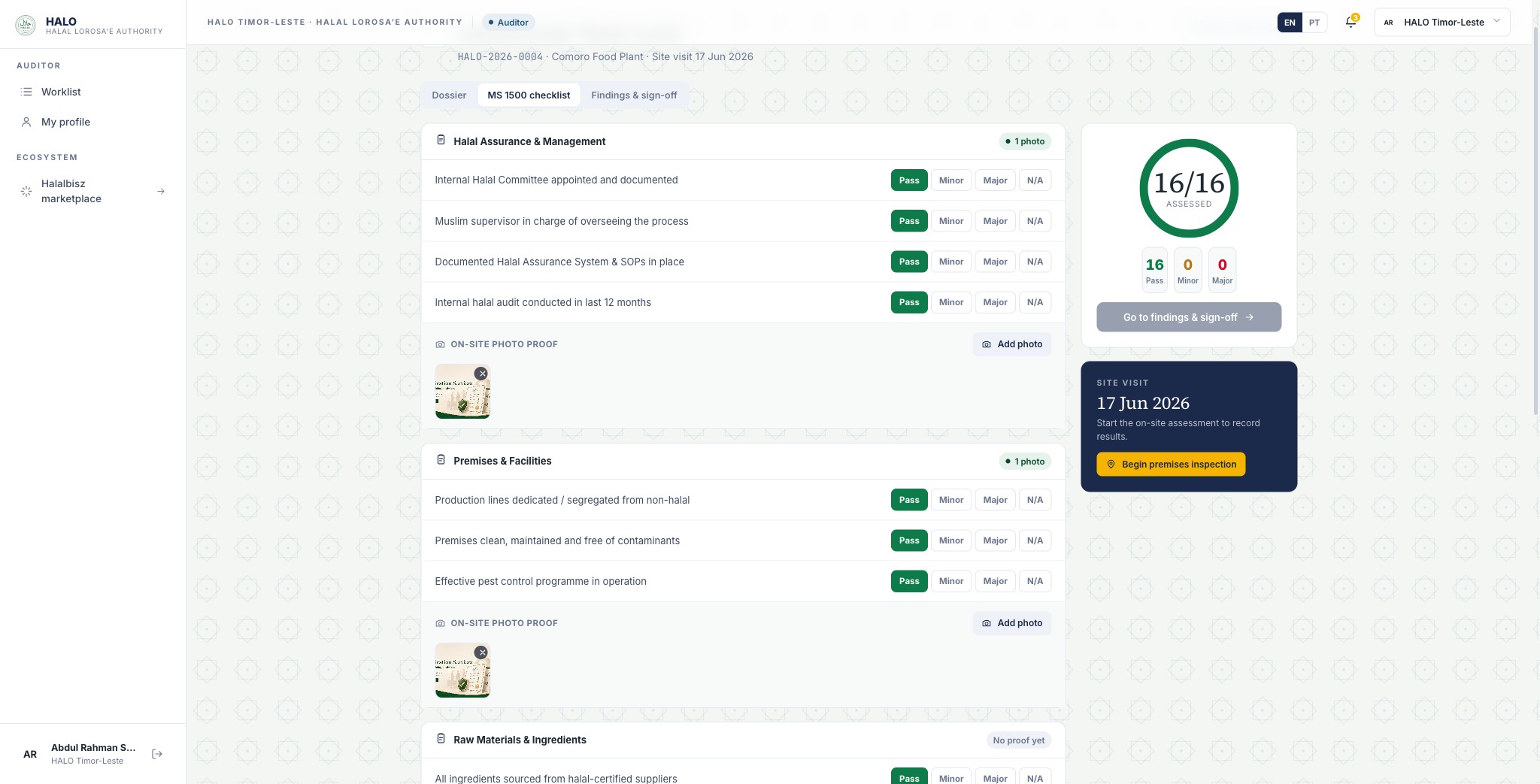
Conduct the MS 1500:2019 checklist
Work through each checklist section (assurance, premises, raw materials, processing, storage, workforce), marking Pass / Minor / Major and attaching on-site photo proof.
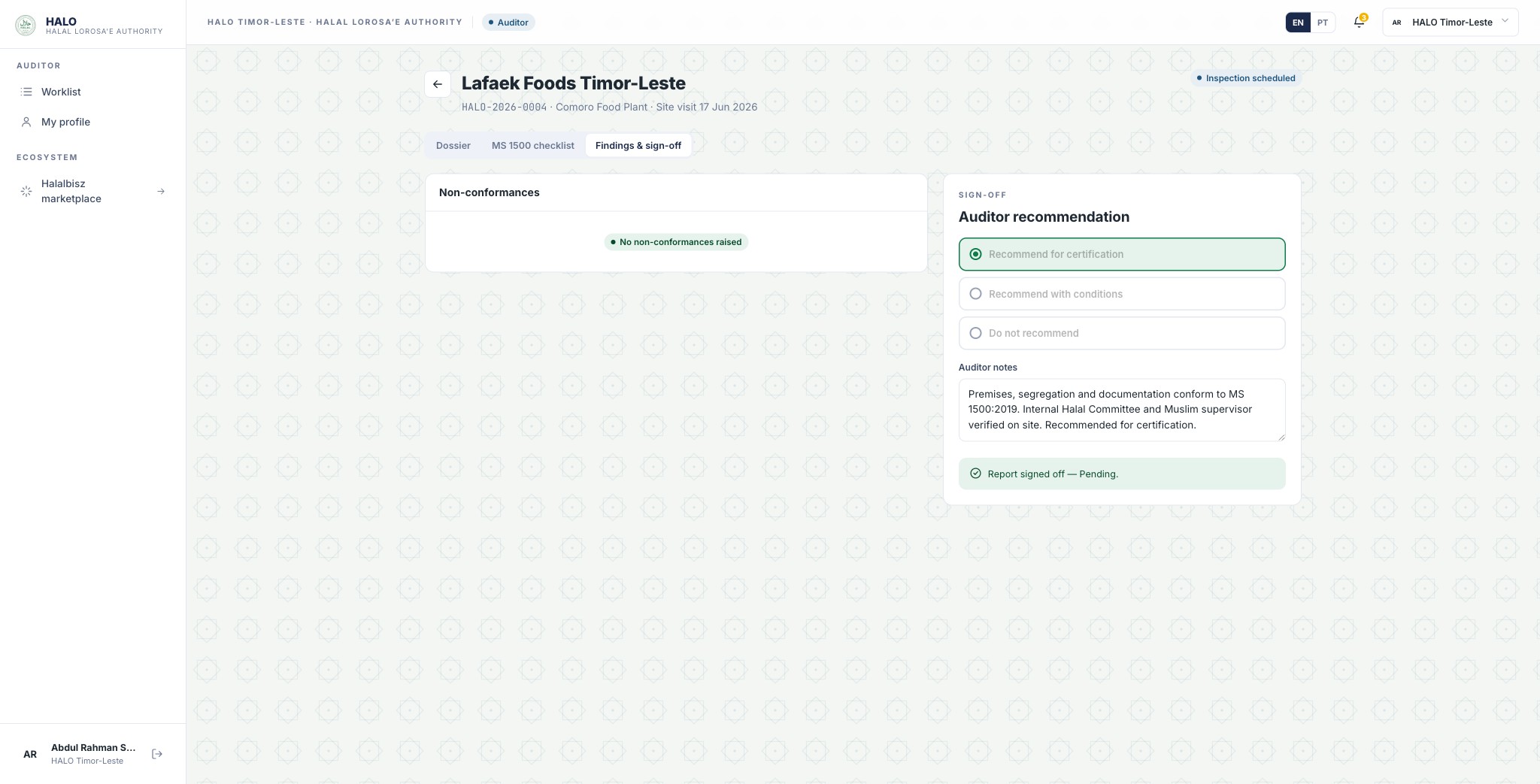
Record findings & sign off
Record any non-conformances, choose a recommendation, and sign off & submit the audit report to the certification body.
Public verification
How anyone — consumer, buyer or regulator — confirms a HALO certificate and inspects the certified product.
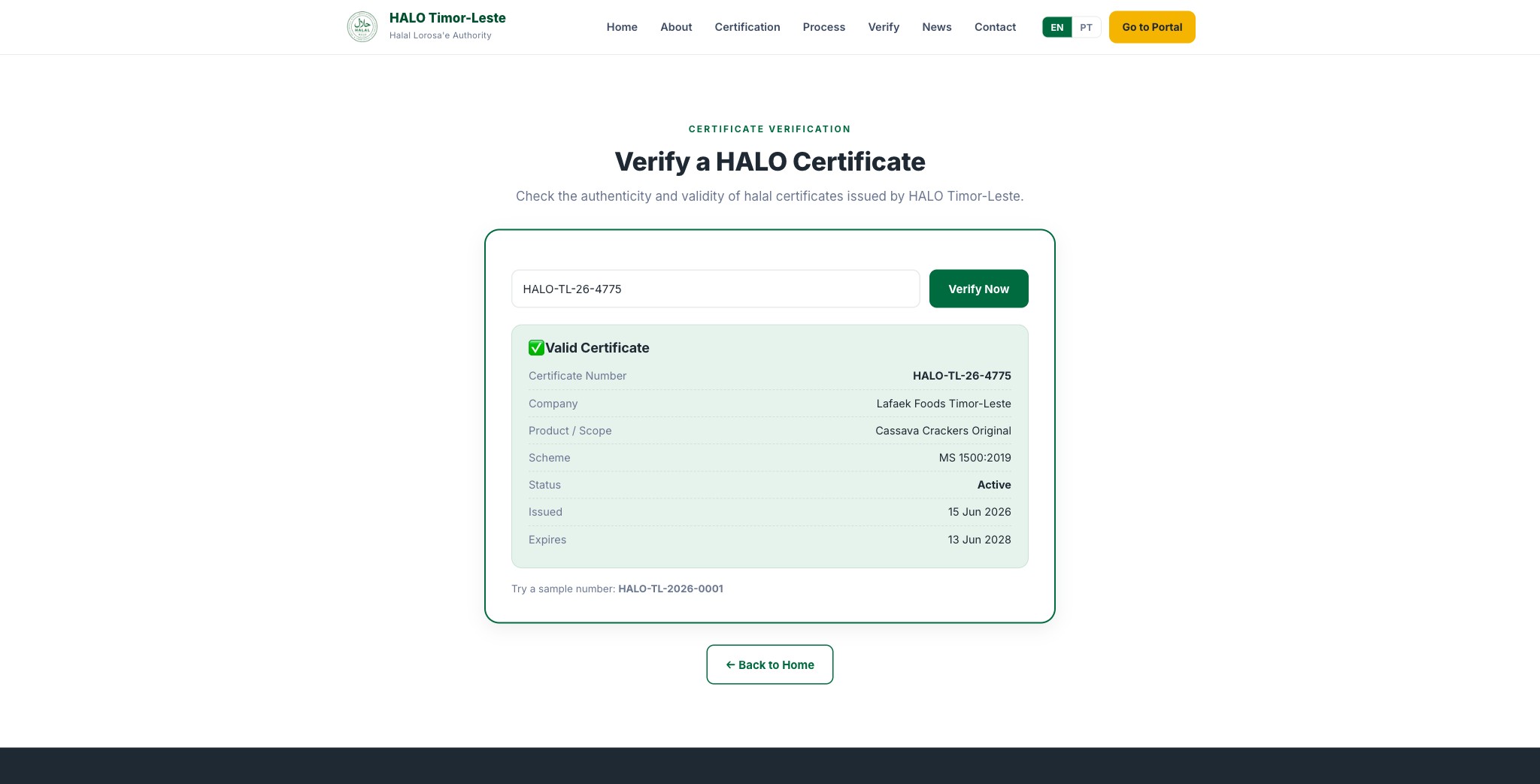
Verify a certificate
On the public site, verify any certificate by number, company or product name. Valid certificates show their full details.
Comprehensive product page
Each certified product publishes a public page showing the certificate, declared ingredients, producer and a scannable QR — the single source the Verify tool draws from.